
If a scanner goes into power save mode or drops the wifi connection the Warehouse Insight app will need to reset and log back in each time.
On a Datalogic Falcon X3 there are 3 timeouts that need to be changed so that the device does not power down and disconnect:
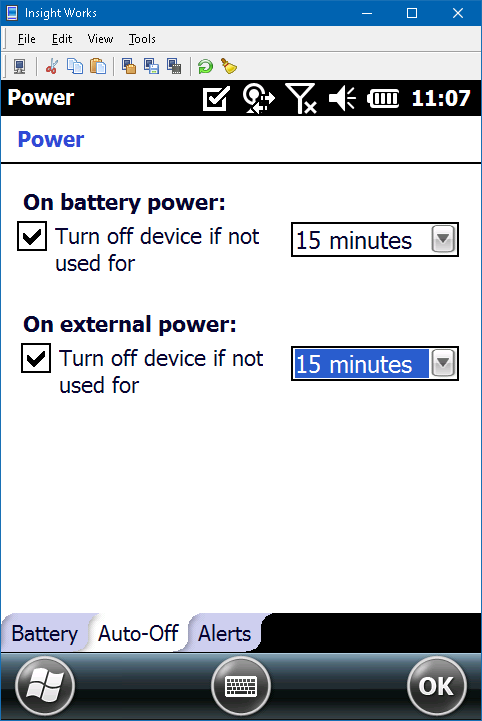
- Start >> Settings >> System >> Power >> Auto-Off
- If the device powers off it will need to re-connect to the WMDM app.
- Set both timeouts to 15 minutes (higher if the battery can handle it):
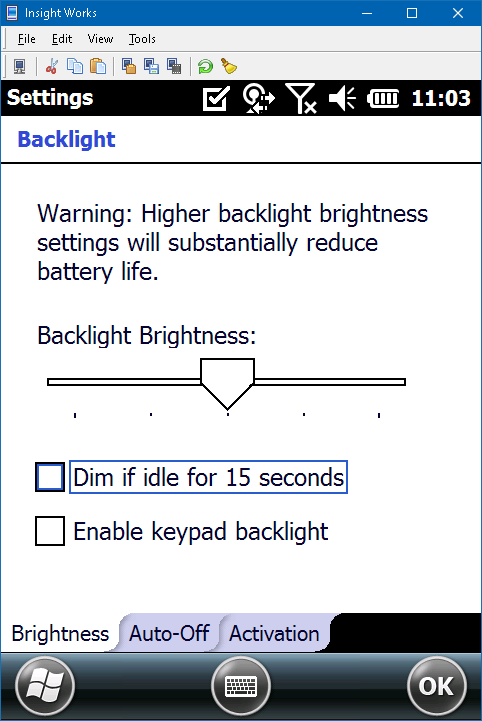
- Start >> Settings >> System >> Backlight >> Brightness
- The display can go dim while still remaining connected.
- Disable ‘Dim if idle’:
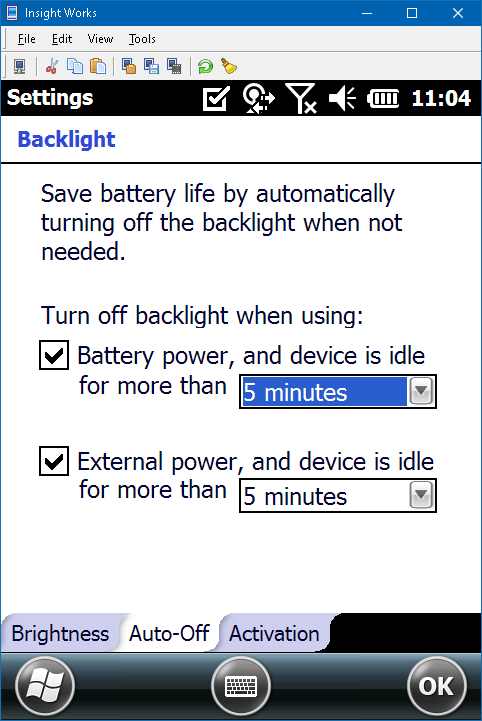
Under the Auto-Off tab set both timeouts to 5 minutes:
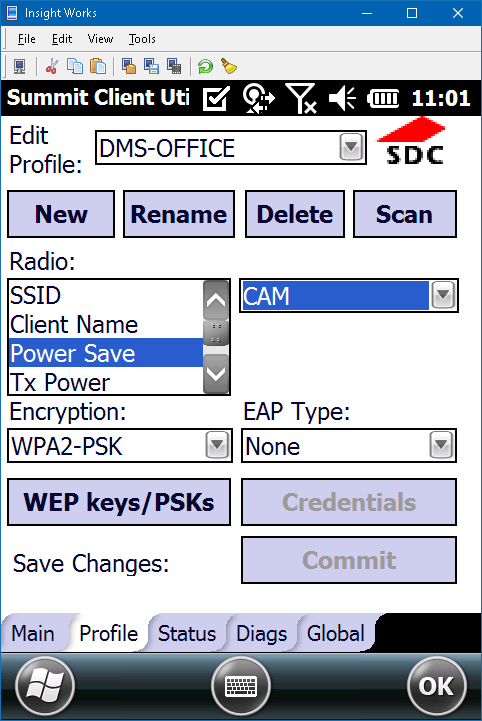
- Start >> Settings >> Connection >> Laird >> Profile >> Power Save
- The wifi needs to stay active as long as the device is powered on (Continuous Active Mode).
- Change Power Save to “CAM”:
Still need help?
Ask other Business Central users in the Insight Works community, or send the details to the support team. Include the steps you took and any error message you saw.