

Warehouse Insight for Microsoft Dynamics 365 Business Central
Catch warehouse errors at the shelf, not at the dock
Improve warehouse accuracy and boost efficiency with mobile device and barcode integration.
Warehouse Insight puts receiving, put-away, picking, shipping, counting, and production on a barcode scanner, with every scan validated by Business Central as it happens. Menus, screens, and workflows are defined in Business Central, so your team can change them without a separate tool.
- Cloud and on-premises
- Android, Windows, Chrome OS
- Rating on Microsoft Marketplace
- 5.0
- Installs
- 5,000+
Warehouse Insight resources
How Warehouse Insight helps
Real-time validation
Find the wrong box before it leaves the shelf
A worker who scans the wrong item and finds out ten minutes later has to backtrack everything done since. In a busy warehouse, that is how small mistakes become customer returns.
Warehouse Insight validates every scan against Business Central as it happens: wrong item, wrong bin, too many units, or a mismatched lot is caught on the spot. When Wi-Fi drops, a store-and-forward queue holds scans and sends them automatically, and offline mode keeps cached documents workable until the network returns.
How offline mode works →Interface views
Give every job the screen it needs
A forklift driver, a picker with a handheld, and a receiving clerk at a desk do not need the same screen. One fixed layout slows at least two of them down.
Assign one of three screen layouts to each device in Business Central: Rich Tile View, Directed Card View, or Compact Grid View. Rich Tile View shows the item picture, bin, lot or serial number, and quantity on one line, and supervisors can color-code priority lines without a developer.
See the three screen layouts →Application Designer
Change your warehouse apps in Business Central
Warehouses change: a new customer label, an extra check at receiving, a different pick sequence. Waiting on a developer for each change leaves the floor working around the software.
Every menu, screen, column, and workflow in Warehouse Insight is defined in Business Central. The Application Designer, a builder inside Business Central, lets your team or your Microsoft Partner change them with the same tools and permissions used to manage everything else.
See the Application Designer →
Customer story
VIPA Hellas
VIPA Hellas, a recycling and recovered materials company in Athens, Greece, runs receipts, put-away, picks, movements, and shipping on mobile devices with Warehouse Insight, with visibility at item, lot, and container level.
Read the case study →
Customer story
Books Council of Wales / Cyngor Llyfrau Cymru
The Books Council of Wales, which distributes Welsh- and English-language books from its Distribution Centre in Aberystwyth, extended Business Central with Warehouse Insight, License Plating, Advanced Inventory Count, Dynamic Ship, and PrintNode Connector PowerTool, halving inventory count downtime.
Read the case study →
Customer story
Jim Lawrence Ironworks
Jim Lawrence Ironworks, a UK manufacturer of hand-finished interior fittings, extended Business Central with Warehouse Insight, Advanced Inventory Count, License Plating, Shop Floor Insight, Dynamic Ship, and Counter Sales, so tasks that once needed four people now need one.
Read the case study →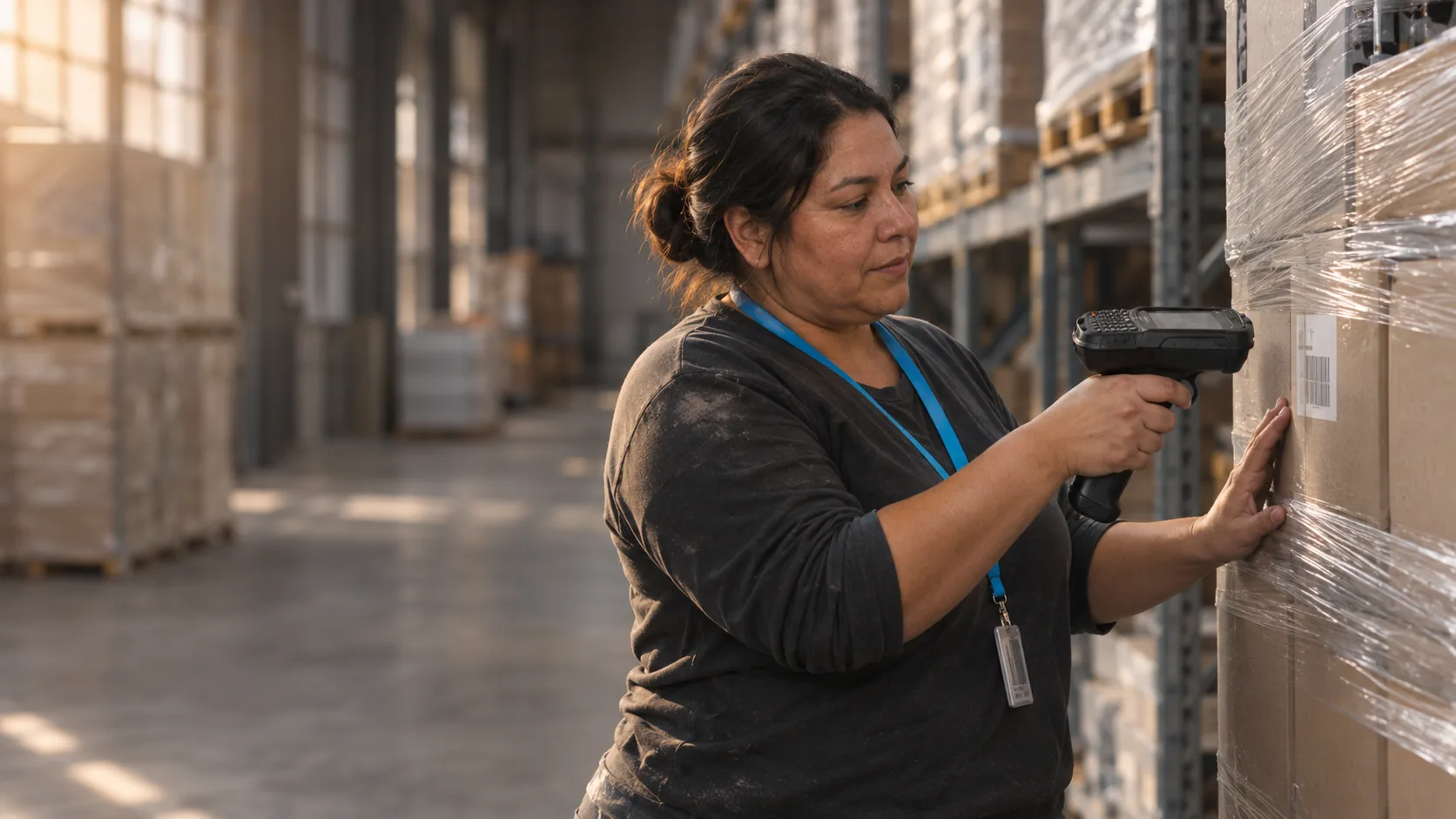
Customer story
Primal Pet Group
Primal Pet Group, a pet food manufacturer in Abilene, Texas, uses Warehouse Insight, License Plating, Advanced Inventory Count, Order Fulfillment Worksheet, and Dynamic Ship with Business Central to manage raw-material batches, trace lots through production, and support e-commerce fulfillment.
Read the case study →
Customer story
TDL Canada
TDL Canada, a wholesale distributor of consumer electronics and networking gear, replaced an outdated Adagio system and manual warehouse processes with Business Central, Warehouse Insight, and Dynamic Ship, growing December order shipments by 209%.
Read the case study →
Customer story
Sotech
Sotech, a UK manufacturer of bespoke engineered metal rain-screen façade systems, moved from Sage Line 50 and spreadsheets to Business Central with Product Configurator, Advanced Inventory Count, Shop Floor Insight, and Warehouse Insight for production, inventory, and shop floor data.
Read the case study →
Customer story
Horizon Stone
Horizon Stone, a Tennessee stone veneer manufacturer, replaced QuickBooks with Business Central and added Warehouse Insight to pick orders and track serial numbers, gaining backwards traceability that was previously impossible.
Read the case study →
Customer story
Sign-Zone
Sign-Zone, a Minnesota manufacturer of visual communication and promotional display products, used Warehouse Insight, Shop Floor Insight, and MxAPS with Dynamics NAV (now Business Central) to reduce scrap and re-work through clearly defined, prioritized production schedules.
Read the case study →
Customer story
KONG (The Kong Company)
KONG, the Colorado-based maker of dog and cat toys, used Warehouse Insight and Advanced Inventory Count with Business Central to cut the time to count 900 bins from 144 person-hours to 12 and make weekly cycle counts practical.
Read the case study →Warehouse Insight screenshots
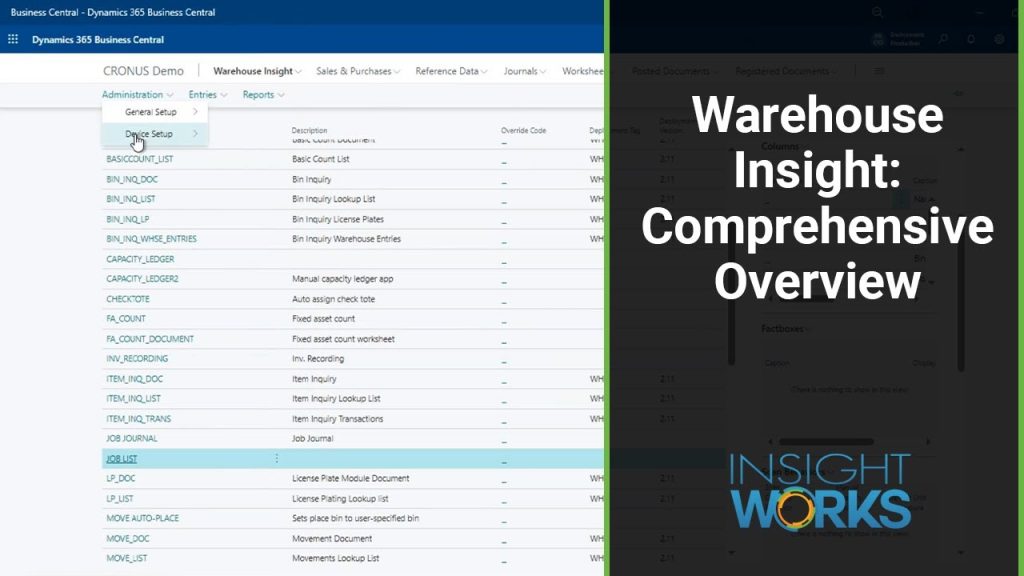
Real screens from Warehouse Insight in Business Central, shown with demo data.


Warehouse Insight features
32 features in 7 groups. Each one has its own page with screens, steps, and answers to common questions.
Receiving and put-away
- ReceivingConfirm receipts against purchase orders, transfer orders, and returns by scan, with Business Central updated on the dock.
- Put-awayDirect workers to the right bin using your Business Central put-away rules, and confirm each placement by scan.
- Unknown vendor barcodesLink an unfamiliar vendor barcode to the right item at the dock, so the next carton scans as a match.
- Item dimensionsCapture length, width, height, and weight at receiving and save them to the item in Business Central.
- Photos on warehouse documentsTake a photo on the handheld and attach it to the purchase order or shipment as damage or claim evidence.
- Scanning without barcodesScanners with optical character recognition (OCR) read printed text like a barcode, so you can start before every item is labeled.
Picking and shipping
- PickingPick warehouse, transfer, and sales orders by scan, with Business Central updated as each line is picked.
- Tote pickingPick several orders in one trip and keep each order in its own tote, tracked in Business Central.
- Voice guidanceAudio tells the worker the bin, item, and quantity, then a barcode scan confirms the pick.
- Pack and shipBuild boxes and pallets while picking, and create carrier labels through Dynamic Ship, Insight Works' shipping app.
- ShippingConfirm outbound shipments by scan, verify a full pallet in one step, and post from the dock.
Inventory
- Inventory countsReplace paper count sheets with scanning, reconcile by lot, and create recount sheets automatically.
- Spot countsCount a bin or item on the spot with no count sheet, and review differences before posting.
- Quantity adjustmentsPost positive and negative inventory adjustments from the handheld, down to the bin.
- Bin-to-bin movesHandle ad hoc and directed moves, with every move confirmed by scan.
- What is in this bin?Scan a bin to see every item, quantity, lot or serial number, and license plate stored there.
- Where is this item?Scan an item to see its bins, the quantity available to take, and its lot or serial details.
- Label printingPrint item, lot, serial, bin, and license plate labels from the handheld to any printer set up in Business Central.
- RFID scanningRead every radio-frequency identification (RFID) tag in range with one trigger pull, and post receiving or count results.
License plates
- License platesTrack a pallet or box as one unit, so one scan confirms everything on it at receiving, put-away, picking, or shipping. Requires License Plating, a separately licensed app that works with Warehouse Insight.
- License plates at receivingBuild license plates while receiving, print the label on the device, and put away the whole pallet with one scan.
- License plates at picking and shippingBuild license plates during picking, then confirm the whole pallet with one scan at shipping.
- License plates at productionBuild license plates for finished goods as they come off the line, and track them to storage and shipping.
Production and assembly
Devices and setup
- Three screen layoutsChoose Rich Tile, Directed Card, or Compact Grid View for each device, so every job gets the screen that suits it.
- Working through Wi-Fi gapsScans post to Business Central in real time, with a store-and-forward queue and full offline mode when the network drops.
- Android, Windows, and Chrome OSRun the same Business Central setup on handhelds, Windows computers, and Chromebooks.
- Windows Desktop ClientRun the Warehouse Insight Desktop Client on a Windows laptop or desktop for testing, demos, training, and extra counters.
- Scanner managementSet up and manage Android scanners centrally with mobile device management (MDM), including barcode enrollment and kiosk lockdown.
Add ready-made extensions
The Add-On Catalog holds free extensions for Warehouse Insight that install in one click. Microsoft Partners can also host their own catalog to share the apps they build.
Plus 26 more in the Add-On Catalog.
Faster setup with Quick Start
A shorter setup path for companies already running inventory in Business Central online, with no changes to their locations.
See if Quick Start fits →Connect to your trading partners
Send shipping data to electronic data interchange (EDI) providers, including SPS Commerce, TrueCommerce, and Vantree.
See the EDI providers →Scanners and printers, ready to go
Buy handheld computers, wearables, and label printers from Insight Works, set up for Warehouse Insight.
Shop hardware →Works with your EDI provider
Warehouse Insight works with these electronic data interchange (EDI) providers. Each has a page on how it works with Insight Works apps.



Requirements and licensing
Per device, not per user
Every mobile device running Warehouse Insight needs a license. Licensing counts devices in use at the same time, so shifts can share scanners.
Business Central license
Each device needs a Business Central device license, or each person who uses it needs a full user license. Both work on the Essentials and Premium tiers.
Cloud or on-premises
Warehouse Insight runs on Business Central online and on-premises. It supports Business Central version 14 and later.
Devices
Android 6.0 and higher on handhelds, phones, tablets, and wearables; Windows through the Desktop Client; and Chrome OS. One Business Central configuration serves all three.
Optional add-ons
Some add-ons are licensed per company. Your Microsoft Partner includes them in your quote.
GET A QUOTE
Your Microsoft Partner prepares a quote for your setup.
App details and prerequisites
- Business Central
- Cloud and on-premises
- Insight Works license
- Per device, subscription
- Business Central license
- Device or full user license (Essentials or Premium tier)
- Devices
- Android, Windows (Desktop Client), Chrome OS
- Languages
- All 23 Business Central languages
- Availability
- All countries where Business Central is available
Just need the basics? WMS Express, our entry-level warehouse app for Business Central, covers receiving, picking and shipping, inventory counts, and bin movements.
See WMS Express vs Warehouse InsightWhat customers say about Warehouse Insight
“Before implementing the solution, we struggled with limited visibility and control over our container-based warehouse operations. With Warehouse Insight and the supporting apps, we now have real-time, structured processes and full traceability across all operations. The improvement in accuracy and efficiency has been significant. We would definitely recommend this solution to businesses with complex warehouse and container management requirements.”
Charalampos ChatzidamianosCFO, VIPA Hellas “We like Warehouse Insight because it’s easy to install and use, yet offers a full set of features.”
Ron KetterlingMicrosoft Marketplace review “We found Warehouse Insight to be a great addition to our Business Central installation. It was easy to download and took less than an hour to configure.”
Tom DoranMicrosoft Marketplace review
Case studies
 Books Council of Wales / Cyngor Llyfrau Cymru
Books Council of Wales: Building an efficient, accurate and resilient distribution service
The Books Council of Wales, which distributes Welsh- and English-language books from its Distribution Centre in Aberystwyth, extended Business Central with Warehouse Insight, License Plating, Advanced Inventory Count, Dynamic Ship, and PrintNode Connector PowerTool, halving inventory count downtime.Advanced Inventory Count · Dynamic Ship · License Plating · PrintNode Connector PowerTool · Warehouse InsightRead the case study → VIPA Hellas
: Achieving container-level inventory visibility and warehouse accuracy with Business Central and Insight Works
VIPA Hellas, an Athens-based trader of recovered recyclable materials, extended Business Central with Warehouse Insight, Advanced Inventory Count, Barcode Generator PowerTool, Import Export PowerTool, and PrintNode Connector PowerTool, cutting inventory counts from two to three days to hours.Advanced Inventory Count · Barcode Generator PowerTool · Import Export PowerTool · PrintNode Connector PowerTool · Warehouse InsightRead the case study → Jim Lawrence Ironworks
: Achieving warehouse accuracy and production visibility with Business Central and Insight Works apps
Jim Lawrence Ironworks, a UK manufacturer of hand-finished interior fittings, extended Business Central with Warehouse Insight, Advanced Inventory Count, License Plating, Shop Floor Insight, Dynamic Ship, and Counter Sales, so tasks that once needed four people now need one.Advanced Inventory Count · Counter Sales · Dynamic Ship · License Plating · Shop Floor Insight · Warehouse InsightRead the case study →
Warehouse Insight feature details
What each feature does, in a few lines. Open a feature to read more, or open its page for screens, steps, and answers to common questions.
Receiving and put-away
ReceivingConfirm receipts against purchase orders, transfer orders, and returns by scan, with Business Central updated on the dock.
When receiving runs on paper, Business Central stays behind the dock until someone types the counts in at a desk, and an unfamiliar vendor barcode or a damaged carton slows the receipt further. Warehouse Insight puts receiving on a mobile device: workers scan against the inbound document, Business Central checks each scan as it happens, and the receipt is posted from the dock.
- Receive purchase orders, transfer orders, and sales return orders from one device
- Capture lot and serial numbers by scan, or read printed carton text with an optical character recognition (OCR) scanner
- Link an unknown vendor barcode to the right Business Central item on the dock
- Attach damage photos to the purchase order in Business Central while the shipment is received
- Posting behavior for receiving is set in Business Central
Put-awayDirect workers to the right bin using your Business Central put-away rules, and confirm each placement by scan.
Goods that wait on the dock, or land in the wrong bin, leave Business Central out of step with the shelf. Warehouse Insight puts each put-away on a mobile device: your Business Central put-away rules choose the bin, the worker confirms the placement by scanning, and the document posts from the device without a trip back to a desktop.
- One-step or two-step put-away, following your warehouse setup in Business Central
- Bin suggestions come from Business Central put-away rules and bin rankings, for fixed and open (chaotic) bin layouts
- Scan one license plate to put away a whole pallet
- Handles both warehouse put-aways and inventory put-aways
- Fields shown, scan sequence, posting behavior, and screen layout are all set in Business Central
Unknown vendor barcodesLink an unfamiliar vendor barcode to the right item at the dock, so the next carton scans as a match.
Vendors change barcodes without notice, and an unknown barcode at the dock usually means setting the carton aside until someone in the office maps it to an item in Business Central. Warehouse Insight moves that step to the dock: the receiver links the barcode to the right purchase order line on the device, and the cross-reference is written to Business Central on confirmation.
- An unknown barcode at receiving opens a prompt to link it to an item on the purchase order
- The cross-reference is written to Business Central when the receiver confirms, with no office follow-up
- One item can carry several barcodes, so a vendor's old and new codes both scan
- A device configuration setting controls which receivers can create cross-references
Item dimensionsCapture length, width, height, and weight at receiving and save them to the item in Business Central.
When an item's length, width, height, and weight are missing from Business Central, freight quotes, carton planning, and pick sorting all rely on estimates, and someone has to measure the item again later. Warehouse Insight captures those dimensions at the receiving dock, from compatible dimensioning hardware or by entry on the handheld, and writes them to the item's Item Units of Measure record in Business Central.
- Record length, width, height, and weight during receiving and save them to the item in Business Central
- Measure automatically with compatible dimensioning hardware, or enter values on the handheld
- Capture dimensions the first time an item arrives, with nothing entered in advance
- Record dimensions against the unit of measure codes set up for the item
- Give pickers weight and size data to sort pick lines by
Photos on warehouse documentsTake a photo on the handheld and attach it to the purchase order or shipment as damage or claim evidence.
Damage found at the dock, or a pallet's condition at pickup, is easiest to prove with a photo taken at that moment and kept with the document it belongs to. Warehouse Insight lets workers take photos on a camera-enabled Android device during receiving, picking, shipping, and inventory work, and attaches each photo to the matching Business Central record.
- Take photos during receiving, picking, shipping, and inventory work on a camera-enabled Android device
- Photos attach to the record for the open document: purchase order, warehouse shipment, warehouse pick, or inventory document
- Attach as many photos as needed to one document, or choose an existing image from the device
- Turn photo capture on or off for each application in Business Central
Scanning without barcodesScanners with optical character recognition (OCR) read printed text like a barcode, so you can start before every item is labeled.
Before a warehouse can scan, every bin, rack location, and product usually needs a barcode label, and that labeling project can hold up go-live for weeks. Warehouse Insight works with Android scanners that have optical character recognition (OCR), which read printed text the way a standard scanner reads a barcode.
- Start scanning before every rack, bin, and product has a barcode label
- The scanner delivers printed text to Warehouse Insight as an ordinary scan
- Capture lot numbers and expiry dates from printed packaging instead of typing them
- Add barcode labels in phases rather than as a condition for going live
Picking and shipping
PickingPick warehouse, transfer, and sales orders by scan, with Business Central updated as each line is picked.
Paper pick lists leave Business Central a step behind the warehouse floor, and a wrong item is usually found at packing, not at the shelf. Warehouse Insight puts each pick on a mobile device: the picker scans the bin and the item, confirms the quantity, and Business Central updates as each line is completed.
- Pick warehouse picks, inventory picks, sales orders, and transfer orders from one device
- Every bin and item scan is checked by Business Central as it happens
- Pickers sort their own list by bin, item, weight, or carrier on the device
- Keep several orders apart in totes during one pick run
- Menus, columns, and posting behavior are all set up in Business Central
Tote pickingPick several orders in one trip and keep each order in its own tote, tracked in Business Central.
When one pick run covers several orders, the items have to stay apart, and sorting them after the pick adds labor and a chance to pack the wrong order. Warehouse Insight adds a tote scan to the pick: after the item scan, the worker scans the tote assigned to that order, so each order stays in its own tote for the whole run.
- Assign one or more totes to each order on the pick, on the device or ahead of time in Business Central
- Scan the item, then scan the tote; a wrong tote stops the line until the right one is scanned
- Fill several orders in one trip, with no sorting step after the pick
- Totes are reusable license plates tracked in Business Central
- At shipping, one tote scan opens the linked warehouse shipment
Voice guidanceAudio tells the worker the bin, item, and quantity, then a barcode scan confirms the pick.
Voice direction lets a picker keep their eyes on the shelf, but a spoken confirmation only records what the worker said, not what they picked. Voice Guidance in Warehouse Insight speaks the bin, item, and quantity, then requires a barcode scan that Business Central validates before the pick line advances.
- The device speaks the bin, item, and quantity for each pick line
- A barcode scan, validated by Business Central, confirms every pick
- Pairs with wrist-worn computers and ring scanners, or runs on an Android handheld with a speaker or headset
- A free add-on from the Add-On Catalog, the catalog of ready-made Warehouse Insight extensions you install from Business Central
- Spoken instructions can also be added to receiving, put-away, shipping, counting, and custom applications
Pack and shipBuild boxes and pallets while picking, and create carrier labels through Dynamic Ship, Insight Works' shipping app.
Packing and shipping is a chain of handoffs: items go into boxes, boxes go onto pallets, the dock confirms what is on each pallet, and someone produces the carrier label. Each handoff is a chance for a recount or a trip to a desktop.
- Build boxes and pallets as license plates while working through the pick
- Confirm everything on a license plate against the warehouse shipment with one scan
- Group box license plates onto a pallet license plate, with contents tracked at each level
- Print the license plate label from the device as soon as the container is complete
- Create carrier labels, packing slips, and bills of lading through Dynamic Ship from the handheld
ShippingConfirm outbound shipments by scan, verify a full pallet in one step, and post from the dock.
Shipping is the last point where your team can catch a wrong item or a short quantity before it reaches the customer. Warehouse Insight lets dock workers confirm each outbound shipment by scan, confirm a full pallet with one license plate scan, photograph loads, and post the shipment to Business Central from the device.
- Confirm warehouse shipments, sales orders, and transfer orders by scan, with each scan validated by Business Central
- Scan a license plate barcode to confirm everything on a pallet in one step
- Post from the handheld, with automatic, manual, or supervisor-only posting set in Business Central
- Photograph pallets and boxes before they leave the dock
- Create carrier labels and bills of lading through Dynamic Ship from the device
Inventory
Inventory countsReplace paper count sheets with scanning, reconcile by lot, and create recount sheets automatically.
Paper count sheets bring highlighters, manual data entry, and a discrepancy report that shows an item is short without showing which lot. Warehouse Insight puts counting on a mobile device: workers scan the bin, scan the item, and enter the quantity, and the count reaches Business Central without retyping.
- Count with assigned count sheets, blind scan-everything sheets, or ad hoc counts with no setup
- Discrepancies shown down to the lot and serial number, with adjustments posted to the correct lot
- Recount sheets created from Business Central for items outside a set tolerance
- Original count, recount, and posted quantities kept as an audit trail
- Works in locations with or without bins
Spot countsCount a bin or item on the spot with no count sheet, and review differences before posting.
Not every count is scheduled: a picker finds a bin that looks short, or a supervisor wants a spot check before the end of the shift, and waiting for a count sheet leaves the question open. In Warehouse Insight, the worker opens the unplanned count application and starts scanning, with no setup in Business Central, and reviews the differences on the device before anything posts.
- No count sheet and no setup in Business Central before the count starts
- Scan the bin, scan the item, enter the quantity, the same pattern as every Warehouse Insight application
- Review differences against Business Central on the device before posting
- The bin stays selected between item scans in the same location
- Works in locations with or without bins
Quantity adjustmentsPost positive and negative inventory adjustments from the handheld, down to the bin.
When a worker finds a discrepancy on the floor, correcting it usually means walking back to a desktop to enter and post an item journal line in Business Central. With the Inventory Quantity Adjustment add-on, Warehouse Insight lets the worker post a positive or negative adjustment from Item Inquiry on the handheld, without leaving the floor.
- Post positive and negative inventory adjustments from an Android handheld
- Start the adjustment from Item Inquiry, with no separate application to open
- Locations that use bins prompt for the bin, so bin quantities stay correct
- Each device configuration posts to its own item journal batch
- Installed from the Add-On Catalog, the catalog of ready-made Warehouse Insight extensions you install from Business Central
Bin-to-bin movesHandle ad hoc and directed moves, with every move confirmed by scan.
Stock moves all day: a pick face runs low, two partial bins get consolidated, a pallet turns up in the wrong place. Some of those moves are planned in Business Central and many are not. Warehouse Insight handles unplanned ad hoc moves, directed warehouse movements from the movement worksheet, and inventory movements for standard warehousing setups, with every take and place confirmed by scan and posted to Business Central.
- Make an ad hoc bin-to-bin move with no document: scan the bin, the item, and the destination bin
- Work directed movements created from the movement worksheet in Business Central
- Handle inventory movements for standard warehousing locations in the same application
- Move a whole pallet in one scan when it has been built as a license plate
- Set the fields shown, scan sequence, and auto-post behavior in Business Central
What is in this bin?Scan a bin to see every item, quantity, lot or serial number, and license plate stored there.
When a worker needs to know what is in a bin, walking back to a desktop or waiting for a supervisor slows the task down. Warehouse Insight lets the worker scan a bin barcode and see what Business Central holds for that bin: each item, quantity on hand, lot and serial numbers, and any license plates stored there.
- Scan a bin barcode to see every item, quantity, and lot or serial number stored there
- Group the contents by lot or serial number, set in Business Central
- See the license plates in the bin and open each one to view its contents
- Review recent warehouse entries for the bin from the device
- Open the inquiry from inside a pick, put-away, movement, or count
Where is this item?Scan an item to see its bins, the quantity available to take, and its lot or serial details.
When a worker needs to know where an item is, how much can be taken, or which lots are on hand, a walk back to a desktop costs time and stops the task in progress. In Warehouse Insight, the worker scans a barcode in Item Inquiry and sees the item's bins, quantity available to take, lot and serial breakdown, and recent transactions from Business Central.
- Scan an item, vendor, lot, or serial number barcode to open the item
- See every bin that holds the item, with the quantity available to take
- Review recent transactions for the item without a desktop
- Open Item Inquiry from inside a pick without closing the pick document
Label printingPrint item, lot, serial, bin, and license plate labels from the handheld to any printer set up in Business Central.
A barcode label helps only if it exists where the work happens: at the dock when a vendor ships unlabeled goods, at the bin when a label is damaged, or at the output station when a pallet is finished. Warehouse Insight lets workers print labels from the mobile device, while the label reports, print triggers, and printer for each device are all set in Business Central.
- Print item, lot, serial, bin, and license plate labels from the mobile device
- Labels print on demand from a menu, automatically when a quantity is confirmed, or when a document posts
- Each device configuration sends labels to its assigned printer, stationary or mobile
- Data matrix labels can hold item, lot, quantity, unit of measure, expiry, and variant in one code
- With Dynamic Ship, carrier labels, packing slips, and bills of lading print from the same device
RFID scanningRead every radio-frequency identification (RFID) tag in range with one trigger pull, and post receiving or count results.
A barcode needs line of sight, so a pallet of tagged goods still means one scan per item. With radio-frequency identification (RFID) hardware, Warehouse Insight reads every tag in range while the worker holds the trigger, removes duplicate reads, and posts the results to Business Central.
- Hold the trigger once to read every RFID tag in range
- Tags with GS1 data resolve to items through the GS1 barcode rules already set up for barcode scanning
- Duplicate reads of the same tag are removed, so quantities reflect unique tags
- Works in receiving against purchase orders, inventory counting, and shipping
- Needs an Android device with a built-in RFID reader or an attached RFID sled
License plates
License platesTrack a pallet or box as one unit, so one scan confirms everything on it at receiving, put-away, picking, or shipping. Requires License Plating, a separately licensed app that works with Warehouse Insight.
Scanning every item on a pallet at each stage, from receiving to put-away to shipping, takes time and gives each stage another chance to miscount. A license plate is a barcode label that represents a pallet, box, or container, so the whole unit can be tracked and moved as one.
- Build license plates while receiving, picking, or shipping by scanning items onto the plate
- Put away, move, or ship a whole pallet with one scan of its license plate
- Nest boxes inside pallets, with contents tracked at each level in Business Central
- Choose how to handle the rest of a plate when only part of it is used
- Create carrier labels and shipping documents through Dynamic Ship once a plate is confirmed
License plates at receivingBuild license plates while receiving, print the label on the device, and put away the whole pallet with one scan.
Putting away a mixed pallet line by line takes a scan and a quantity entry for every item on it. Warehouse Insight lets receiving teams build a license plate, a barcode label that tracks a pallet or box as one unit, while they work through the receipt, and then put the whole pallet away with one scan.
- Build license plates during receiving by scanning items onto the plate as you work through the receipt
- Print the license plate label from the device when the pallet is complete
- Put away the whole pallet with one license plate scan, without line-by-line confirmation
- Lot and serial numbers captured at receiving stay with the plate's contents
- Every receiving line on a plate shares one bin, so each plate has a single destination
License plates at picking and shippingBuild license plates during picking, then confirm the whole pallet with one scan at shipping.
Outbound time builds up in three places: building the pallet during picking, checking it again at shipping, and producing the carrier label before the driver arrives. With Warehouse Insight, pickers build license plates, barcode labels that track a pallet or container as one unit, as they pick, and the shipping worker confirms each pallet against the warehouse shipment with one scan of its label.
- Build outbound pallets as license plates during the pick run
- Each item picked onto a plate is recorded in Business Central as it is scanned
- One scan of the license plate label confirms the whole pallet against the warehouse shipment
- Create carrier labels, packing slips, and bills of lading through Dynamic Ship from the handheld
License plates at productionBuild license plates for finished goods as they come off the line, and track them to storage and shipping.
Finished goods that leave the output station without an identifier move to storage as loose inventory, and every later move means scanning item by item. Warehouse Insight lets workers build a license plate, a barcode label that tracks a pallet as one unit, while they record production output. The finished pallet then carries its own barcode from the line to storage and on to shipping. License plates come from License Plating, a separately licensed Insight Works app that requires Warehouse Insight.
- Build license plates for finished goods from the production output application
- Print the license plate label when the pallet is complete, before it leaves the output station
- Lot and serial numbers recorded at output stay with the plate
- Move a finished pallet to storage with one license plate scan
- Pick and ship finished goods by license plate, with carrier labels through Dynamic Ship
Production and assembly
Production ordersRecord component consumption and finished output by scan, with your bill of materials enforced.
When consumption and output are written down and keyed in later, wrong quantities and missed lot numbers leave Business Central out of step with the production floor. Warehouse Insight puts that recording on a handheld: workers scan components as they use them, record output against production order operations, and post to Business Central from the floor.
- Record component consumption against the production order bill of materials (BOM) from an Android handheld
- Set BOM enforcement per device configuration to block unlisted components or over-consumption
- Record output against routing operations, with lot and serial numbers generated at output
- Print item labels at the moment of output to a printer set up in Business Central
- Business Central checks each scan as it happens, so errors surface at the point of recording
Assembly ordersScan components and post finished assemblies, with Business Central inventory updated at every step.
When component consumption and assembly output are recorded after the fact, inventory in Business Central drifts away from what happened on the floor. Warehouse Insight puts assembly orders on the mobile device: workers open the order, scan components as they use them, and post finished output from the device, so Business Central is updated at each step.
- Scan components from bins against assembly order lines and record consumption on the device
- Post Assemble to Stock output from the device menu once the components are consumed
- Work Assemble to Stock and Assemble to Order documents within standard Business Central assembly
- Capture lot and serial numbers for components and confirm them for finished items
- Follow the same scan pattern used for receiving, picking, and counting in Warehouse Insight
Devices and setup
Three screen layoutsChoose Rich Tile, Directed Card, or Compact Grid View for each device, so every job gets the screen that suits it.
Your warehouse rarely runs one kind of device: compact handhelds at receiving, ring scanners on wearable computers, and tablets mounted on forklifts all show the same work on very different screens. Warehouse Insight offers three mobile interface views, Rich Tile View, Directed Card View, and Compact Grid View, and each device configuration in Business Central is assigned the view that suits its device and job.
- Three views: Rich Tile View, Directed Card View, and Compact Grid View
- Each device configuration in Business Central is assigned one view, so different teams can run different views in the same warehouse
- Fields, color rules, and factboxes are set in Business Central, with no separate configuration tool
- Rich Tile View puts the item picture, bin, lot or serial, and quantity on every line
- Compact Grid View lets workers sort and choose columns on the device
Working through Wi-Fi gapsScans post to Business Central in real time, with a store-and-forward queue and full offline mode when the network drops.
A worker who scans the wrong item and finds out ten minutes later has to backtrack everything done since. Warehouse Insight is built to stay online, so Business Central checks every scan as it happens.
- By default, Business Central validates every scan as it happens
- A store-and-forward queue holds scans through Wi-Fi gaps and fast scanning, with no mode change
- Full offline mode keeps cached documents open and workable without a connection
- No pre-download step before going offline
Android, Windows, and Chrome OSRun the same Business Central setup on handhelds, Windows computers, and Chromebooks.
Few warehouses run on one kind of hardware: rugged scanners on the floor, a laptop at the receiving desk, and perhaps Chromebooks the company already issued for other work. Warehouse Insight runs on Android, Windows, and Chrome OS from the same setup in Business Central, so a worker sees the same menus and scan steps on whichever device suits the job.
- Android 6.0 and higher on handheld scanners, phones, tablets, and wearables
- Windows 10 and 11 through the Warehouse Insight Desktop Client
- Chrome OS through the Google Play Store
- Menus, workflows, and overrides are set once in Business Central and read by every platform
- The same screens and scan sequence on every device, so there is one training path
Windows Desktop ClientRun the Warehouse Insight Desktop Client on a Windows laptop or desktop for testing, demos, training, and extra counters.
Testing a warehouse workflow usually means walking the warehouse with a scanner or working in a clunky Android emulator. The Warehouse Insight Desktop Client, the Windows version of Warehouse Insight, runs the same screens on a Windows laptop, desktop computer, or server. Testing, demos, training, and troubleshooting can all happen from one desk.
- Installs from the Microsoft Store on a Windows laptop, desktop computer, or server
- Size the window like a handheld scanner, or run it full screen on a tablet with a USB scanner
- Runs the standard Warehouse Insight processes, from receiving and picking to counting
- Works without printed barcodes: select or type entries, or send scans with one click
- The Desktop Client is free to install from the Microsoft Store, and each computer that uses it needs a Warehouse Insight license
Scanner managementSet up and manage Android scanners centrally with mobile device management (MDM), including barcode enrollment and kiosk lockdown.
Setting up a fleet of Android scanners usually means someone handling every device: installing software, entering settings, and connecting each one to Business Central at every location. With mobile device management (MDM) through SureMDM, an optional managed device service, one enrollment barcode installs Warehouse Insight, applies its settings, and locks the device to approved applications, and the fleet is then managed from one web console.
- One enrollment barcode installs Warehouse Insight, applies settings, and connects a new or factory-reset Android device to Business Central
- Devices can be enrolled centrally and shipped to any warehouse ready to use
- Kiosk lockdown keeps devices on administrator-approved applications
- Remote lock and wipe, over-the-air app and Android updates, and device monitoring from one web console
Customize and extend
Application DesignerChange screens, menus, and workflow steps inside Business Central, without custom development.
Many warehouses have a few workflows the standard device screens do not cover: a quality hold step, a proof of delivery capture, a receiving screen with extra fields a vendor requires. Waiting on custom development for each one adds cost and delay.
- Build warehouse device applications in Business Central by connecting blocks on a design canvas
- Change how existing Warehouse Insight applications behave through overrides, without editing the base applications
- Add a new application to the device menu in Business Central, and devices pick it up at their next configuration reload
- Extend with AL code in Business Central when a workflow needs custom processing
Add-On CatalogInstall ready-made extensions in one click, or host your own catalog as a Microsoft Partner.
Every warehouse has a few workflows the standard applications do not cover. The Warehouse Insight Add-On Catalog, a library of ready-made extensions you install from inside Business Central, adds those workflows to Warehouse Insight without changing its core code.
- Install an add-on from inside Business Central with one Install action
- Every add-on in the catalog is free, including Voice Guidance
- Each add-on deploys its own extension, device menus, application overrides, and configuration data
- Source code for each add-on can be downloaded alongside the extension
- Microsoft Partners can host a private catalog to distribute their own add-ons to their customers
Questions about Warehouse Insight?
Ready to plan a rollout? Contact your Microsoft Partner. For product questions, send us a note and the Warehouse Insight team will reply by email. Scoping Warehouse Insight for a project? Book a Q&A session with the product manager.
Upcoming webinarBeyond the physical inventory journal: Reliable counts in Business CentralWednesday, November 25, 2026, 11 am to 12 pm CETRegister →Ask a product question
Works alongside Warehouse Insight
 Advanced Inventory CountRun cycle and physical inventory counts with multi-user entry, reconciliation, posting, and analysis tools
 License PlatingTrack mixed items on pallets, boxes, and containers with one license plate scan in Warehouse Insight
 Dynamic ShipCompare live carrier rates, build packages, print labels, and track shipments inside Business Central
 DocXtenderAttach documents to records by drag and drop, stored in Business Central or SharePoint Online