

License Plating for Microsoft Dynamics 365 Business Central
Move a mixed pallet with one scan
Track mixed items on pallets, boxes, and containers with a unique license plate number for each one.
License Plating groups items, including mixed lot and serial numbers, under one license plate number (LPN) so a whole pallet, box, or container can be handled with a single scan. It is an add-on to Warehouse Insight, Insight Works' mobile warehouse management app for Microsoft Dynamics 365 Business Central, and it works with every current Warehouse Insight license.
- Cloud and on-premises
- Requires Warehouse Insight
- Licensed per company

- Rating on Microsoft Marketplace
- 5.0
- Installs
- 1,000+
License Plating resources
How License Plating helps
Fewer scans
Handle a whole pallet with one scan
Moving mixed stock through a warehouse means scanning every item, lot, and serial number at every step. Each extra scan takes time and is another chance to scan the wrong thing.
A license plate already knows its items, lots, quantities, and location, so workers scan one barcode instead of many. The same license plate follows the goods through receiving, movement, picking, production consumption and output, and shipping.
See all License Plating features ↓Mixed contents
Keep mixed items and lots together under one number
A pallet holding several items or lots is where simple pallet labels stop being useful, because the label cannot say what is on it. Someone ends up opening the pallet or checking paperwork.
Each license plate holds lines for different items, quantities, and lot or serial numbers at a location and optional bin. License plates can also contain other license plates, so cartons can sit on a parent pallet.
See all License Plating features ↓Labels and templates
Print the label where the pallet is built
When labels only print at a desk, pallets wait unlabeled or get labeled later from memory. Pallet and box sizes get typed in again for every shipment.
License plate labels print from the license plate list in Business Central or directly from a handheld, using a configurable report. Templates preset the dimensions of a pallet or standard box and are scanned from a template barcode at the start of picking.
See all License Plating features ↓
Customer story
Jim Lawrence Ironworks
Jim Lawrence Ironworks, a UK manufacturer of interior fittings, tracks mixed-item pallets and containers with License Plating. Staff scan one license plate instead of each item, which cuts scanning and improves traceability.
Read the case study →
Customer story
Books Council of Wales / Cyngor Llyfrau Cymru
The Books Council of Wales, which distributes Welsh- and English-language books from its Distribution Centre in Aberystwyth, extended Business Central with Warehouse Insight, License Plating, Advanced Inventory Count, Dynamic Ship, and PrintNode Connector PowerTool, halving inventory count downtime.
Read the case study →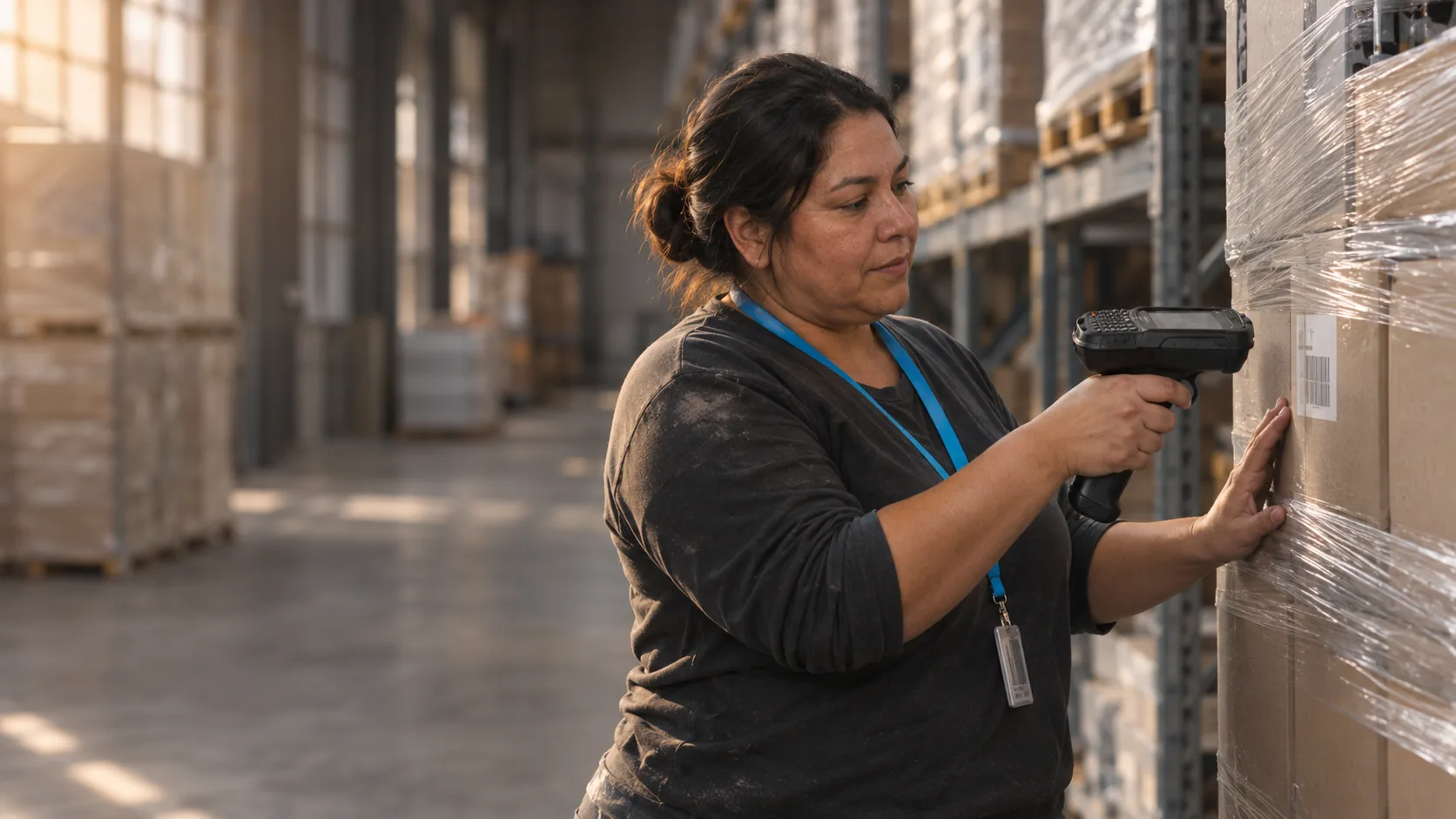
Customer story
Primal Pet Group
Primal Pet Group, a pet food manufacturer in Abilene, Texas, uses Warehouse Insight, License Plating, Advanced Inventory Count, Order Fulfillment Worksheet, and Dynamic Ship with Business Central to manage raw-material batches, trace lots through production, and support e-commerce fulfillment.
Read the case study →License Plating screenshots
Real screens from License Plating in Business Central, shown with demo data.


License Plating features
13 features in 3 groups. Each one has its own page with screens, steps, and answers to common questions.
Create and track
- License plate creationCreate a license plate for a location and optional bin, then add items and quantities.
- Unique license plate numbersGive each pallet, box, or container its own number from a number series.
- Mixed item trackingHold different items and mixed lot or serial numbers on one license plate.
- Nested license platesPlace license plates inside other license plates, such as cartons on a pallet.
- TemplatesPreset pallet and box dimensions with license plate templates.
Warehouse flow
- Single-scan transactionsHandle a license plate with one scan instead of scanning each item.
- Use across the warehouseUse license plates in receiving, movement, picking, production consumption and output, and shipping.
- Pick to license plateBuild a license plate during picking so items do not have to be entered again at packing.
- Warehouse Insight add-onRuns on handhelds through Warehouse Insight, with license plates also managed in Business Central.
Labels and upkeep
- Label printingPrint license plate barcode labels from the license plate list.
- Printing from handheldsGenerate and print license plate barcodes directly from handheld devices.
- Archive reportArchive license plates by status to keep the daily list small, with a restore option.
- Archiving filtersFilter archiving by date, archive option, status, number, location code, and more.
Requirements and licensing
Licensed per company
License Plating is a subscription licensed per company. Each company in the tenant that uses it needs a license.
Requires Warehouse Insight
License Plating is an add-on to Warehouse Insight and needs Warehouse Insight licenses as well. It works with every current Warehouse Insight license.
Business Central license
Users need a full user license on the Business Central Essentials or Premium tier.
Cloud or on-premises
License Plating runs on Business Central online and on-premises. Older on-premises installations need a documented data conversion when they upgrade.
Setup and devices
A number series and a label report must be set up before license plates are created. Device installation is arranged with Insight Works or your Microsoft Partner.
Shipping container codes
License Plating does not generate serial shipping container codes (SSCC). An SSCC requires your own GS1 Company Prefix.
GET A QUOTE
Your Microsoft Partner prepares a quote for your setup.
App details and prerequisites
- Business Central
- Cloud and on-premises
- Insight Works license
- Per company, subscription
- Business Central license
- Full user license (Essentials or Premium tier)
- Requires
- Warehouse Insight
- Microsoft Marketplace listing name
- License Plate Management
- Languages
- English
- Availability
- All countries where Business Central is available
What customers say about License Plating
“Using handheld scanners with License Plating and Warehouse Insight gave us real-time visibility into production and inventory movements that we simply did not have before. The workflows reduced manual effort and helped improve our overall inventory accuracy.”
Deepak AgrawalPrimal Pet Group “The Insight Works' license plate management solution is great. License Plating has really helped Innovia's customers keep better track of their inventory.”
Tom DoranMicrosoft Marketplace review “With the License Plating app for Business Central, we've transformed our warehouse operations, efficiently grouping mixed items and drastically reducing our scanning workload.”
Microsoft Marketplace review
Case studies
 Books Council of Wales / Cyngor Llyfrau Cymru
Books Council of Wales: Building an efficient, accurate and resilient distribution service
The Books Council of Wales, which distributes Welsh- and English-language books from its Distribution Centre in Aberystwyth, extended Business Central with Warehouse Insight, License Plating, Advanced Inventory Count, Dynamic Ship, and PrintNode Connector PowerTool, halving inventory count downtime.Advanced Inventory Count · Dynamic Ship · License Plating · PrintNode Connector PowerTool · Warehouse InsightRead the case study → Jim Lawrence Ironworks
: Achieving warehouse accuracy and production visibility with Business Central and Insight Works apps
Jim Lawrence Ironworks, a UK manufacturer of hand-finished interior fittings, extended Business Central with Warehouse Insight, Advanced Inventory Count, License Plating, Shop Floor Insight, Dynamic Ship, and Counter Sales, so tasks that once needed four people now need one.Advanced Inventory Count · Counter Sales · Dynamic Ship · License Plating · Shop Floor Insight · Warehouse InsightRead the case study → Primal Pet Group
: Improving batch management and warehouse traceability with Business Central and Insight Works apps
Primal Pet Group, a pet food manufacturer in Abilene, Texas, uses Warehouse Insight, License Plating, Advanced Inventory Count, Order Fulfillment Worksheet, and Dynamic Ship with Business Central to manage raw-material batches, trace lots through production, and support e-commerce fulfillment.Advanced Inventory Count · Dynamic Ship · License Plating · Order Fulfillment Worksheet · Warehouse InsightRead the case study →
Questions about License Plating?
Ready to plan a rollout? Contact your Microsoft Partner. For product questions, send us a note and the License Plating team will reply by email. Scoping License Plating for a project? Book a Q&A session with the product manager.
Ask a product question
Works alongside License Plating
 Warehouse InsightMobile barcode scanning and warehouse management for Business Central.
 Barcode Generator PowerToolAdd 1D and 2D barcodes to Business Central reports, with sample reports and developer functions
 PrintNode Connector PowerToolPrint reports and labels from Business Central online directly to local or network printers
 Order Fulfillment WorksheetSee what can ship today and create the warehouse shipments and picks to act on it