
Sampling and Skip-Lot are both methods to reduce inspection workload while maintaining confidence in product quality.
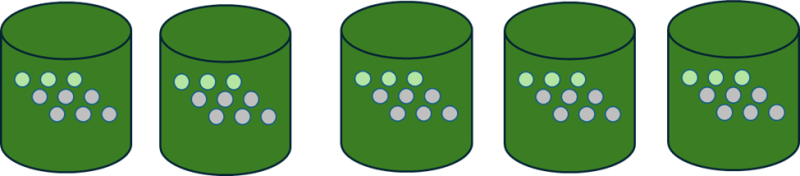
- Sampling inspects a portion of units from every lot to decide if the lot meets quality standards.
- Many industries follow formal sampling standards such as AQL.
- Sampling reduces units inspected per lot.
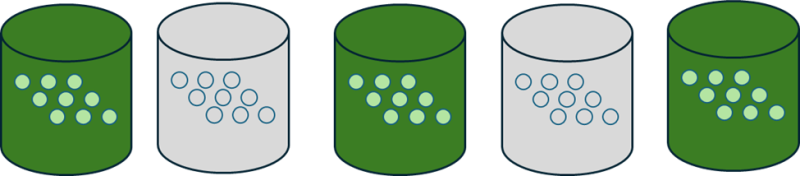
- Skip-Lot still uses sampling principles, but only inspects selected lots, skipping others entirely once a proven history of acceptable quality exists.
- Skip-lot reduces the number of lots inspected, not the sample size inside each lot.
- Some industries (e.g., regulated food sectors) must follow standards such as USDA CFR Section 42 when applying skip-lot rules.
Both approaches rely on demonstrated, stable quality performance before reduced inspection levels are allowed.
Skip-Lot meaning inside Business Central / Quality Inspector
In regulatory language, “lot” often refers to each actual occurrence of material received or produced.
In Business Central, one Business Central lot number may be used in multiple receipts (e.g., same supplier lot delivered in two trucks).
Quality Inspector handles this by treating each occurrence as a separate inspection event by default, ensuring skip-lot logic works whether:
- each receipt has a unique lot/packaging, or
- the same supplier lot is received multiple times
This aligns the real-world quality rule (“each batch/arrival is an opportunity to inspect”) with Business Central’s item/lot tracking model.
Using the methods in Quality Inspector
You can apply either method alone or both together:
|
Method |
Meaning |
Example |
|
Sampling only |
Inspect a subset of units from every lot |
Inspect 20 units from every 500-unit receipt |
|
Skip-lot only |
Inspect every unit, but only for some lots |
Fully inspect every 5th receipt, or test 10 fully then skip 5, then test 1. Any failure causes full testing. |
|
Skip-lot + sampling |
Inspect sampled units only on selected lots |
First 10 receipts at 100% → next 10 at 50% → then 25% if no failures |
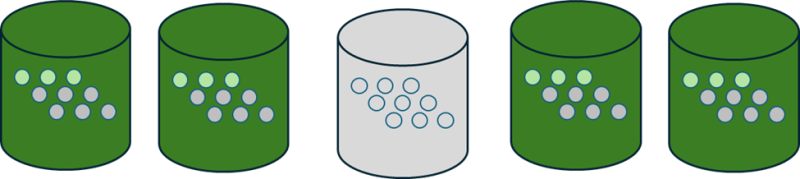
Skip-lot in this context may also change sampling percentages dynamically rather than skipping lots entirely, depending on configuration.
Sampling means inspecting part of every lot.
Skip Lot means inspecting full lots, but only some.
Skip-lot + Sampling means sampling on selected lots.
Still need help?
Ask other Business Central users in the Insight Works community, or send the details to the support team. Include the steps you took and any error message you saw.