
When you edit the quality inspection test, the test is automatically assigned to you. You can also assign the test to yourself on the Quality Inspection Tests list by selecting Pick Up; you can un-assign it by selecting Un-Assign.
If a test has been assigned to another user, the Change Tests Assigned to Others field must be set to “Allowed” for you to modify assigned test.
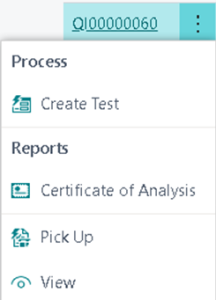
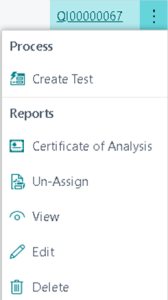

Quality Inspection Tests
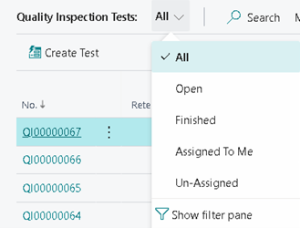
The Quality Inspection Tests page has the following views to filter out un-assigned and assigned to the individual:
- All
- Open
- Finished
- Assigned To Me
- Un-Assigned
Still need help?
Ask other Business Central users in the Insight Works community, or send the details to the support team. Include the steps you took and any error message you saw.