
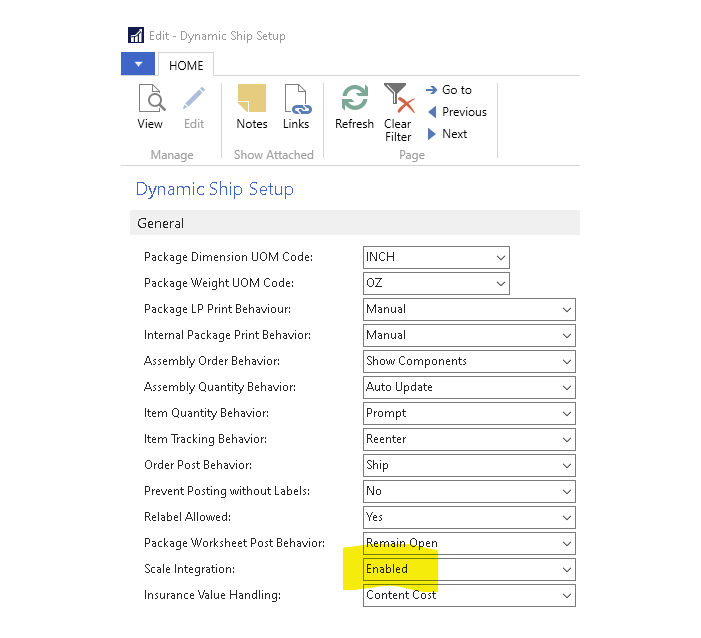
A USB scale can be used to collect the weight of a package for shipment. On the Business Central RTC client, a USB-attached scale can be enabled by completing the following:
- Navigate to Dynamic Ship Setup > General > Scale Integration.
- Complete one of the following:
- Enable the scale integration.
- Force the user to always use the UI when using the –GETWEIGHT function in the Package Worksheet (UI shows on first use or if the weight is unstable).
Still need help?
Ask other Business Central users in the Insight Works community, or send the details to the support team. Include the steps you took and any error message you saw.