
You can look up shipment and package tracking numbers as soon as a shipping label has been created.You can find the master shipment tracking number by clicking click ‘Show More’ on the Shipping & Billing FastTab in a sales order or posted sales invoice.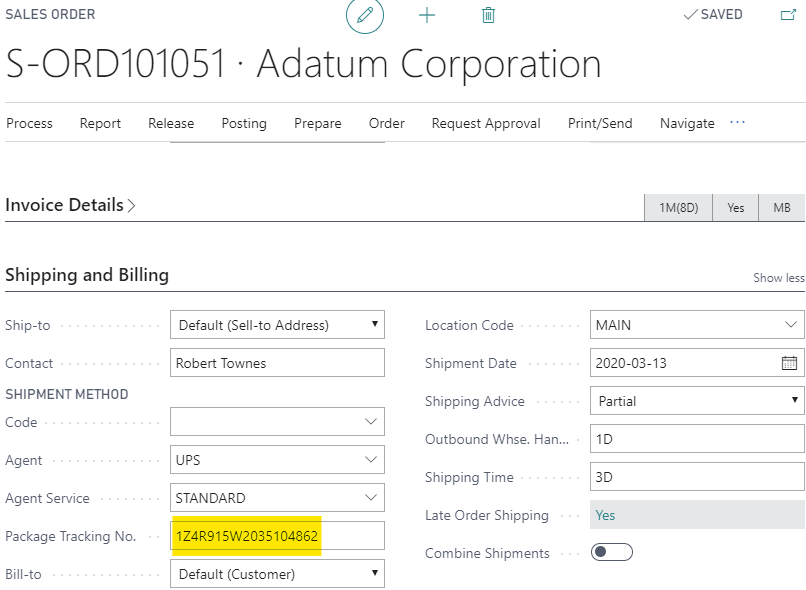
You can also search the ‘License Plate List’ for the source document in the ‘Shipped Source No’ field for posted shipments or ‘Source No’ for unposted shipments:
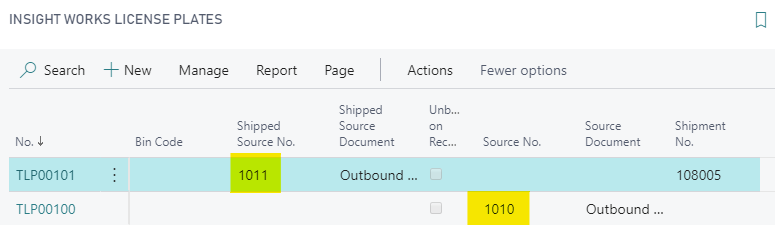
The source document will be either the sales order if warehouse shipping is disabled for the location, or the warehouse shipment document if it is enabled.Open the license plate and scroll down to the Shipping FastTab to find the individual package tracking number: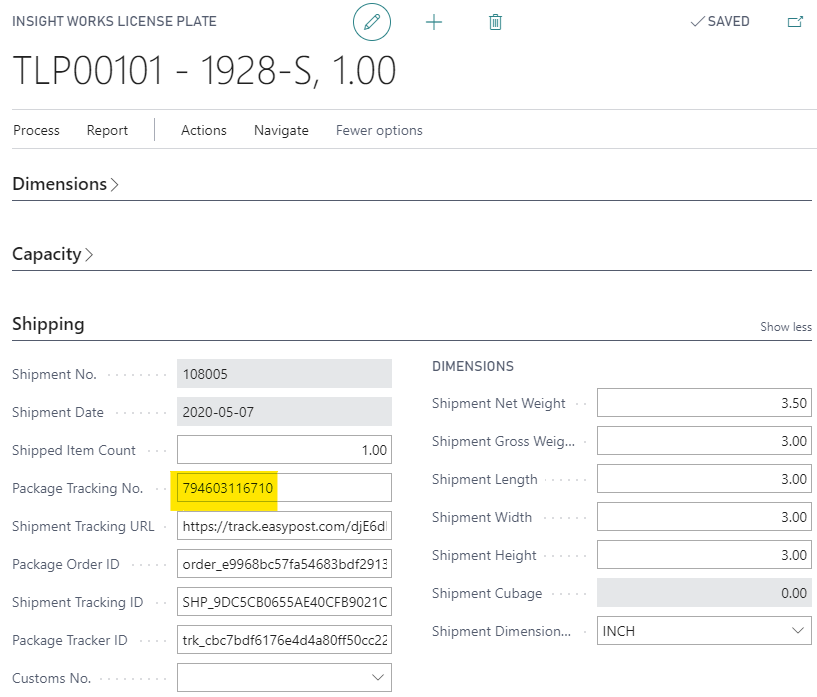
Some carriers use unique tracking numbers for every package in a shipment while others re-use tracking numbers and uniquely identify each package by the box number.
Still need help?
Ask other Business Central users in the Insight Works community, or send the details to the support team. Include the steps you took and any error message you saw.