
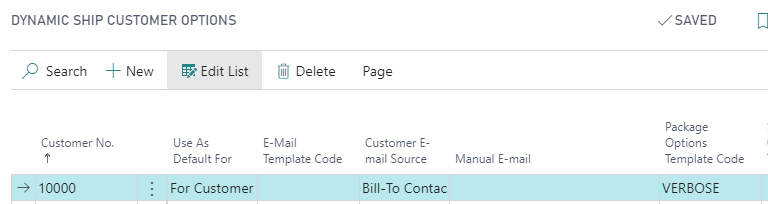
Extra text can be included on the shipping label using package options on the Customer Options page.First create a package option template with the text that you want to appear on each package for that customer: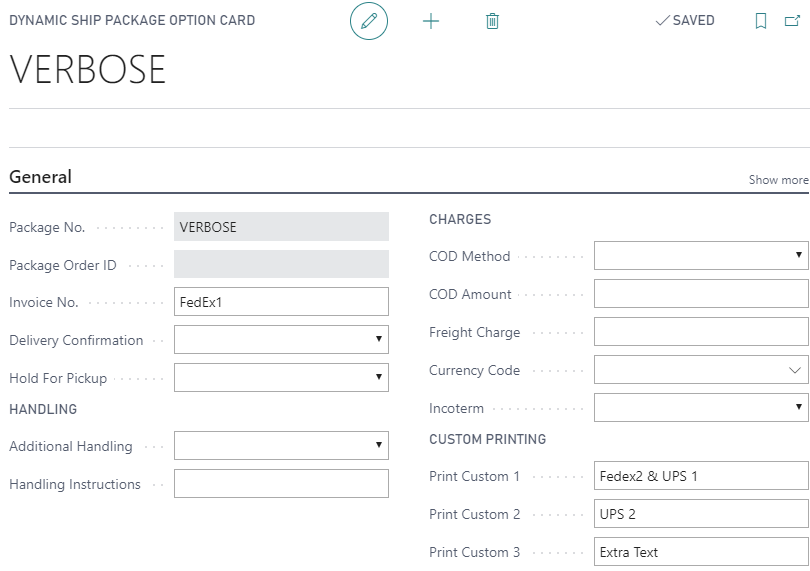 Note that FedEx and UPS use different fields. Other carriers may use other combinations of these 4 fields.Note: See this article for standard placeholders that can be used for the text, such as invoice numbers, etc.Then create a customer option to select the package option template:
This text will then be automatically included in any new shipments:
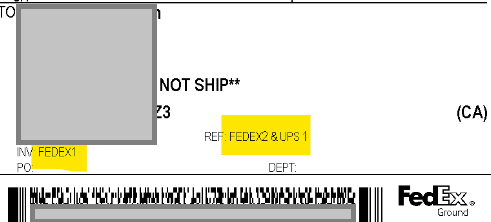
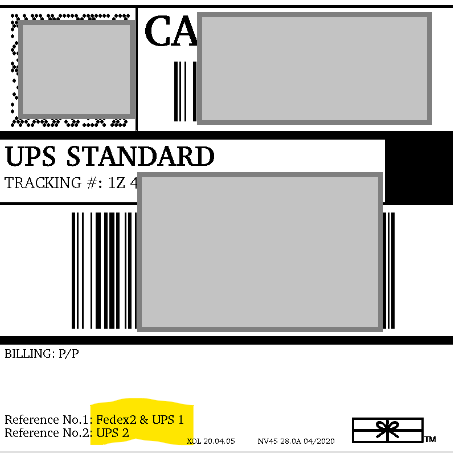
Still need help?
Ask other Business Central users in the Insight Works community, or send the details to the support team. Include the steps you took and any error message you saw.