
A shipment label can be re-printed at any time without having to regenerate it from the carrier.
If the shipment is still open in the package worksheet, you can click the “Carrier Label” button to re-print an existing label.
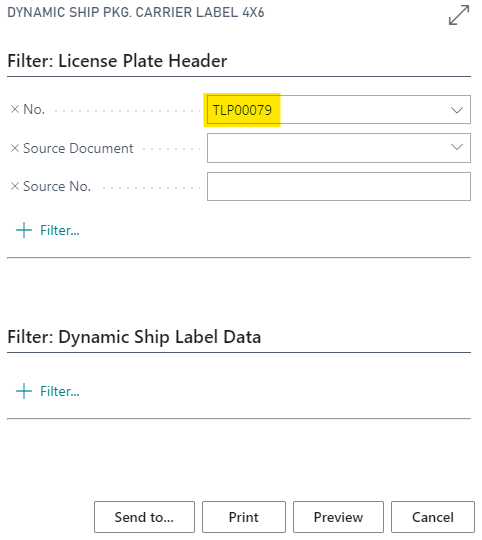
If the shipment has been posted, the easiest spot to reprint the label would be to search for “Package Carrier Label” (or browse to Dynamics Ship Reports >> Package Carrier Label) and fill in ‘No.’ for the license plate to re-print:
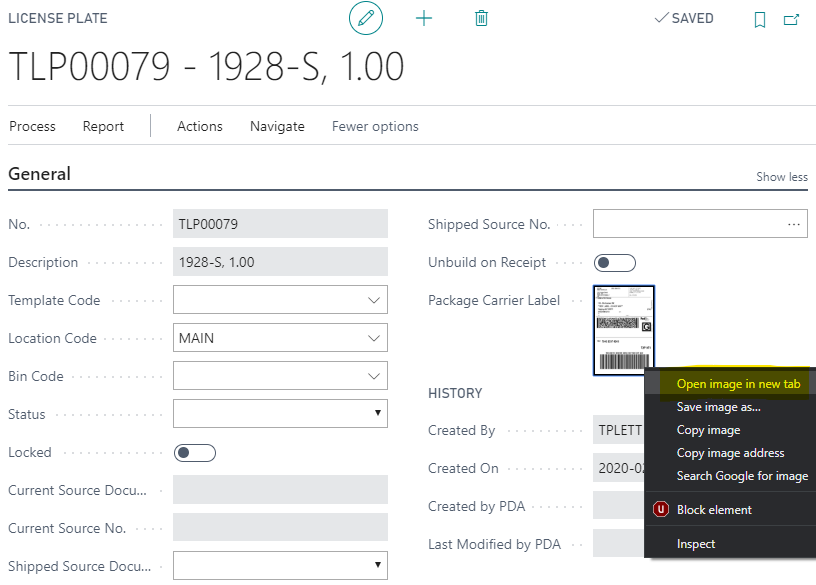
You can also open the license plate from “License Plate List”, then right click the carrier label to open the image in a new tab for printing.
If any changes need to be made to the label after posting, a new label will need to be generated from “Miscellaneous Shipments”.
Still need help?
Ask other Business Central users in the Insight Works community, or send the details to the support team. Include the steps you took and any error message you saw.