
Inventory items that have multiple variants need to be uniquely identified for packing. Personalize the Package Worksheet to see the variant column. You can pack by the item number if each item in an order has only a single variant that has been preset on the sales order.
Unique Barcodes for Each Variant
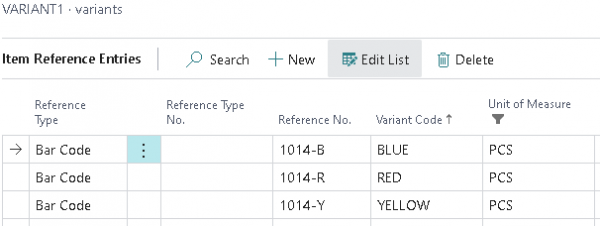
If there are unique barcodes for each variant, use Item Reference Entries to record the unique code for each item/variant combination:
Multiple Units Of Measure
With multiple Units Of Measure, you can use unique cross-reference codes for each UOM and variant: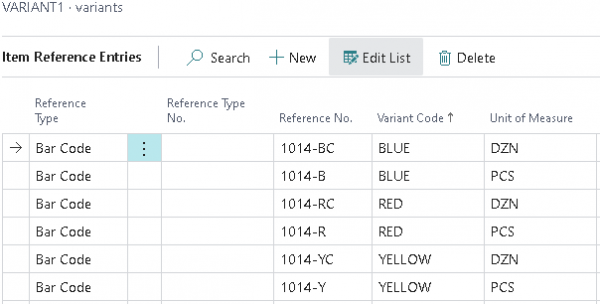
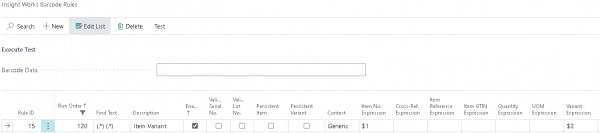
Barcode Containing the Item and the Variant Code
If you have a barcode that contains the item and the variant code, you can create a barcode rule to use them together:
Still need help?
Ask other Business Central users in the Insight Works community, or send the details to the support team. Include the steps you took and any error message you saw.