
You receive a Validation Results error in the Package Worksheet after using the Pack Command ‐‐GETLABEL because Address Validation may have cached an invalid address.
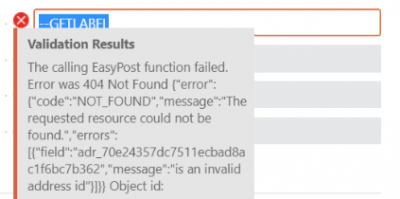
Clear Address IDs
- Navigate to the Dynamic Ship Freight Integration Providers page in Business Central.
- Select the EasyPost line (ensure it is highlighted).
- Select Clear Address IDs.
Still need help?
Ask other Business Central users in the Insight Works community, or send the details to the support team. Include the steps you took and any error message you saw.