
Add New Production Segment
- Navigate to the “Production Segments”.
- Add a new record with the values listed below. Please note segment codes and processing orders must be unique, so you may need to choose a different “Code” than the one listed if you already have one with the same name. It is important this new record have a higher “Processing Order” value than any other record defined, so if 9999 is already in use you will need to renumber existing records to make that possible.
- Code: REP
- Description: Replenishment
- Processing Order: 9999
- Segment Rate Unit of Measure: Minutes (or whichever unit you have defined that represents minutes)
- Factor: Fixed
Make New Production Segment the Default Replenishment Segment
- Navigate to “MxAPS Setup”.
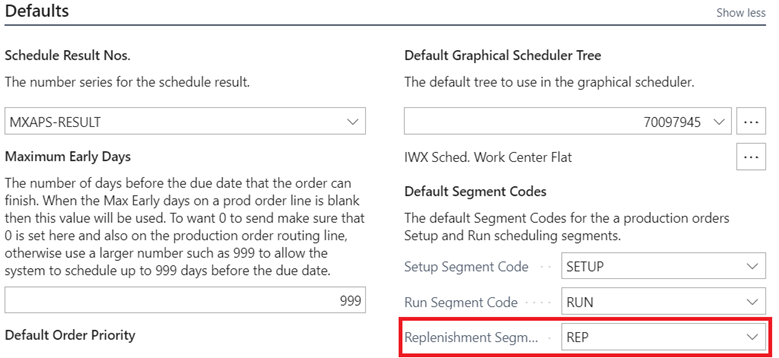
- In the “Replenishment Segment Code” textbox choose the production segment that you created above.
Still need help?
Ask other Business Central users in the Insight Works community, or send the details to the support team. Include the steps you took and any error message you saw.