
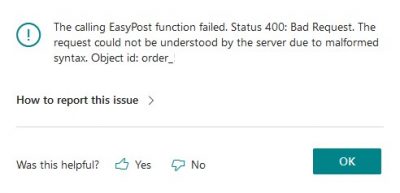
When labelling an order with Order Ship Express, you may receive the following error message: The calling EasyPost function failed. Status 400: Bad Request. The request could not be understood by the server due to malformed syntax. Object id: order_abc123
The cause of this error is a discrepancy in the destination ZIP code between the rates retrieved and when purchase is attempted. Verify the address is correct on both the Sales Order (receiver’s address) and the Location card (sender’s address).
Example
You use the following destination: Miami, FL, 37125
This ZIP code is incorrect but is used for rating by USPS. When you then attempt to purchase the label, USPS corrects the ZIP code, creating a price discrepancy in the rates and causing the error to appear.
You must correct the order’s ZIP code for the labelling process to be repeated successfully.
Still need help?
Ask other Business Central users in the Insight Works community, or send the details to the support team. Include the steps you took and any error message you saw.