
Skip to content

WMS Express

app on my Android device doesn’t have the camera function to scan via camera

Viewing 2 posts – 1 through 2 (of 2 total)
  • Author
    Posts
  • #8595
    Anil S.

    Hi Support,

    I am Facing on my Android device(Google Pixel 7,Android version_15) device doesn’t have the camera function to scan.Camera is not appearing in the App as screen shot.Please let me know if any settings has to be worked.WMS app we are installing on BC environment.

    #10157
    Terri V.
    Insight Works
    Hello Anil,

    You can use the devices Camera to scan barcodes by enabling the Use Camera option. When on, you are prompted to enable the Draw over other apps permission. The Camera Scanning button appears over most pages and look like this:

    Users can move the button around as needed and the last position will be remembered.

    Find the Warehouse Insight application in the list shown and enable the required permission. Once enabled, you can toggle barcode symbology’s required. Reducing the amount of enabled symbology’s will make the camera scanning more reliable and potentially faster.

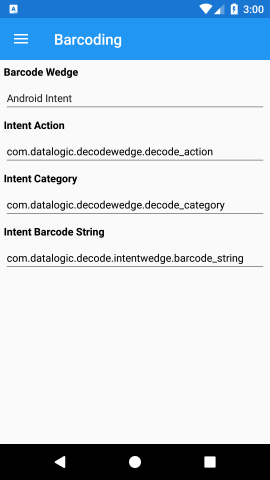
    Barcoding
    You will also need to set the Barcode Wedge to ‘Keyboard Prefix/Suffix’ in the Warehouse Configuration settings
    Barcoding
    This article also explains this process and you can keep it for reference: 

    19. Configuration – Insight Works Knowledge Base

    Thank you,
Viewing 2 posts – 1 through 2 (of 2 total)
  • Sign in below to reply.