
Sales kit for resellers
Enhanced Forecasting Worksheet sales kit
Turn the Azure AI sales forecast into demand forecasts and item planning parameters. Everything you need to qualify, demo, and quote it.
The pitch
Enhanced Forecasting Worksheet extends the Sales and Inventory Forecast feature in Microsoft Dynamics 365 Business Central into a worksheet you can act on. It forecasts many items at once with Microsoft's Azure AI forecasting model. Results go straight to the demand forecast or to each item's planning fields.
Who it is for
Business Central online customers that plan inventory or production from posted sales history. Users are the planners who maintain demand forecasts, safety stock, and reorder points.
Selling points
- A whole category in one pass. Filter by item, item category, or location and see every result in one worksheet. Set the period type, forecast and past periods, confidence level, and algorithm.
- Feeds material requirements planning (MRP). Update Demand Forecast writes predicted values into the standard Business Central demand forecast. They are ready for MRP and the master production schedule (MPS).
- Planning fields from your formulas. Calculate safety stock, reorder point, reorder quantity, and maximum inventory from expressions you define. Update Item Planning writes the results to the item cards in one step.
- Built on Business Central forecasting. Uses the Sales and Inventory Forecast setup and Microsoft's Azure AI forecasting model. Items need posted sales history before they can be forecast.
- One location at a time. Companies that use several locations with stockkeeping units forecast one location at a time.
- Licensing. Free for one named user; subscription for additional users. Runs on Business Central online, and each user needs a Business Central user license.
Customer needs more planning tools?
Enhanced Forecasting Worksheet is also included in Enhanced Planning Pack, Insight Works' bundle of six planning, forecasting, and production analysis apps.
See Enhanced Planning Pack →Qualify the opportunity
Fit-gap questions to ask before a demo. The answers tell you whether Enhanced Forecasting Worksheet fits, and what to show.
- How do you forecast inventory demand today? Is it manual, or do you use a dedicated tool?
- Do you use the Sales and Inventory Forecast feature in Business Central today?
- Do you have frequent stockouts or overstocks? How do they affect your operations or costs?
- How do you keep safety stock, reorder points, and maximum inventory in line with real demand?
- Do you need to forecast by item category or by location?
- How do you adjust forecasts using sales history today?
- Do different items need different forecasting algorithms?
- How do forecasts reach your demand forecast and material requirements planning in Business Central today?
- Can your forecasting process keep up as your item count grows?
- How do you decide which items to forecast, such as by velocity, criticality, or location?
- Are you on Business Central online, and how many people need to run forecasts?
Demo and proof
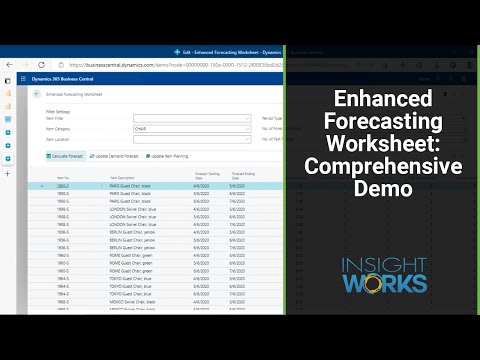
On-demand demo
Licensing at a glance
- Business Central
- Business Central online
- Insight Works license
- Free for one named user; subscription for additional users
- Business Central license
- Business Central user license
- Forecasting model
- Microsoft Azure AI
- Languages
- English
- Availability
- All countries where Business Central is available
Files
Battle card
Two pages for your sales team: what the app adds to Business Central, selling points, qualifying questions, and answers to common questions.
Download (opens in a new tab)Datasheet
For prospects: the same datasheet as the public app page.
Download (opens in a new tab)Enhanced Forecasting Worksheet logo
PNG, SVG, EPS, and AI files.
DownloadScreenshots
Full-size images for proposals and presentations.
Download
Help with a Enhanced Forecasting Worksheet opportunity

Melonie Wood
Partner Success, North America and global
Pre-sales meetings, pricing questions, implementation guidance, and connecting you with the right technical people.
Message Melonie →
Erik Garstad
Product Consultant
Pre-sales meetings, pricing questions, implementation guidance, and onboarding for European partners.
Message Erik →
Brian Neufeld
Marketing
Co-marketing, your reseller listing, webinars, and content for your campaigns.
Message Brian →
- Book a product manager Q&A sessionFor a qualified opportunity with detailed questions
- Back to the partner hubPricing, other apps, marketing, and support