
Shop Floor Insight enables users to manually schedule shifts using the ‘Alternate Shifts’ features. Shop Floor Insight 6 introduces the ability to schedule recurring shift patterns. Recurring patterns are quickly and easily configured with the shift schedule configuration list and can be applied to groups of employees and individual employees.
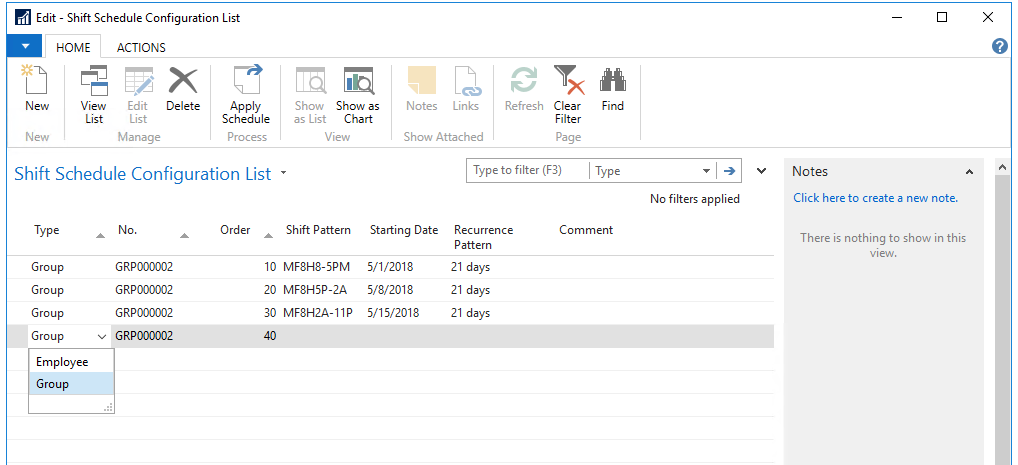
Applying a schedule will commit the pattern to the already familiar ‘Alternate Shifts’, allowing easy overrides and manual configuration of exceptions.
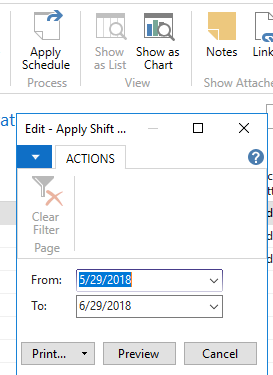
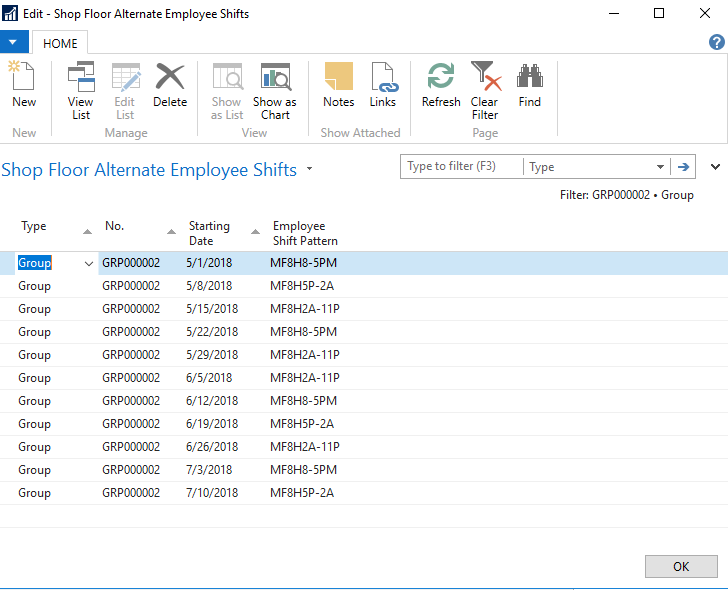
We also know that keeping track of schedules for individuals and groups can be tricky, so to make things easier we’ve added a visual shift calendar:
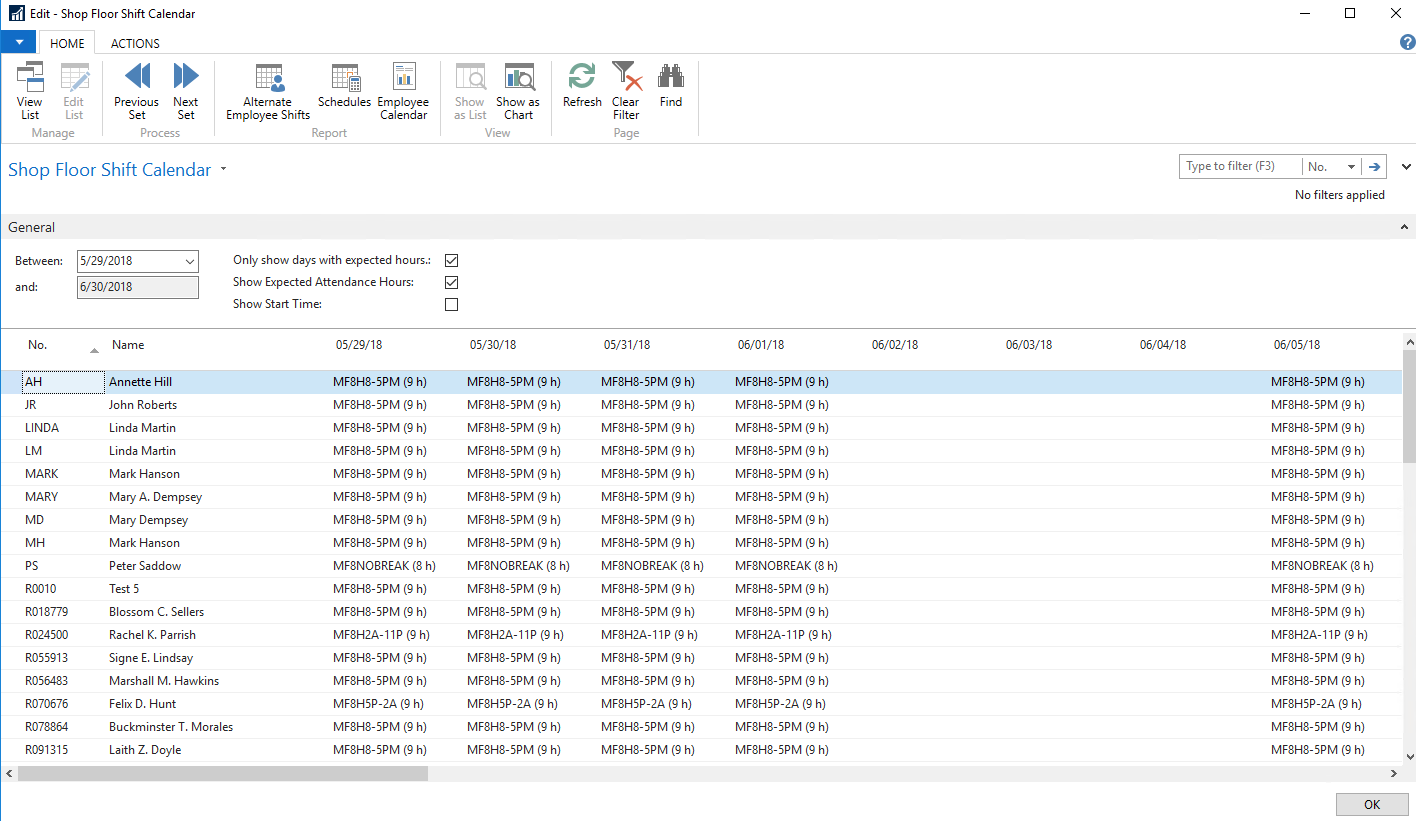
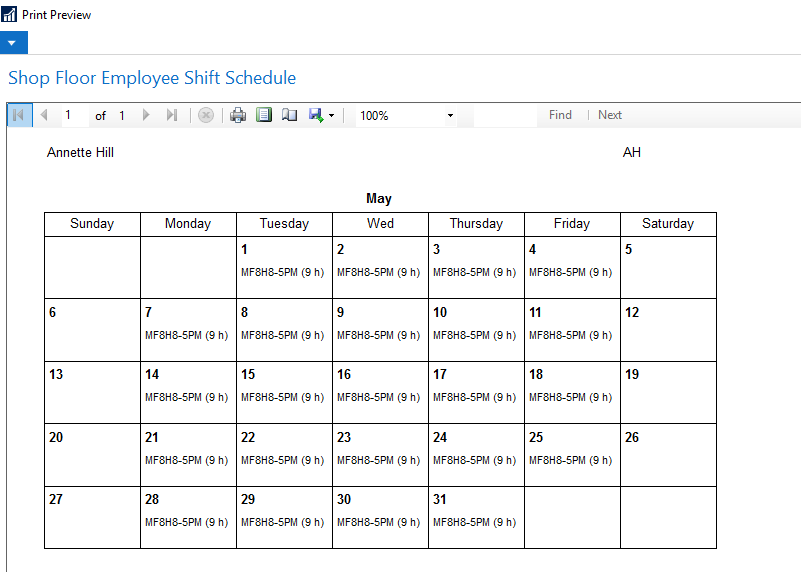
We’ve also added a printable calendar that can be distributed to employees.
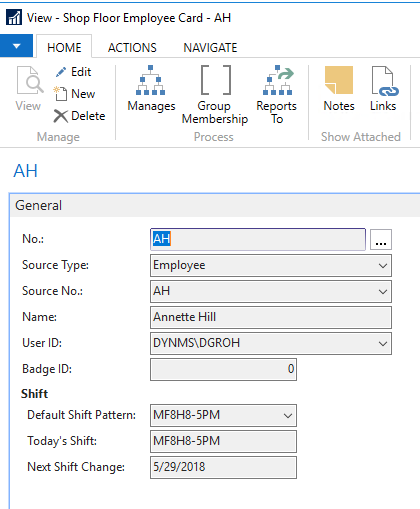
Users will appreciate the simple helpers such as current shift, next shift, and the next shift change directly on the Shop Floor Employee card.
Still need help?
Ask other Business Central users in the Insight Works community, or send the details to the support team. Include the steps you took and any error message you saw.