
Step 3 of 12. Follow these articles in order.
You must register the Shop Floor Insight app after installation. Registration is necessary for Business Central cloud use of Shop Floor Insight. Ensure to install the app on your Business Central tenant prior to requesting registration. If you are in a Sandbox and not your tenant, ensure your Insight Works add-ons can make HTTP Requests (configured in the Extension Management page).
If you are using Shop Floor Insight 7.10 or newer and are on Business Central 14 or newer, you do not need to update the TCM_MES_License.txt file. If you are using Shop Floor Insight 7.9 or older or are on Business Central 13 or older, you must update the TCM_MES_License.txt file.
Time-limited demonstration licenses are available upon request.
When registering, complete the following:
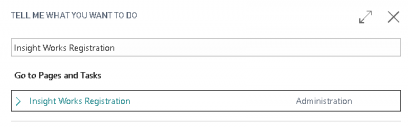
- Search for Insight Works Registration.
- Complete one of the following:
- If you have contacted your Insight Works representative or Insight Works reseller:
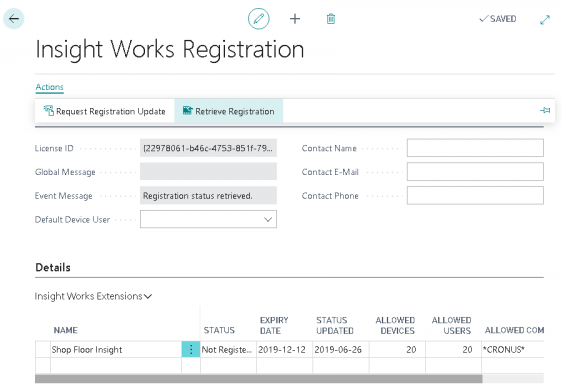
- Select Retrieve Registration.
- Update your registration details.
- If you have not contacted your Insight Works representative:
- Contact your Insight Works representative with your License ID (your registration is configured).
- Select Actions and select Retrieve Registration.
- If you have contacted your Insight Works representative or Insight Works reseller:
Still need help?
Ask other Business Central users in the Insight Works community, or send the details to the support team. Include the steps you took and any error message you saw.