
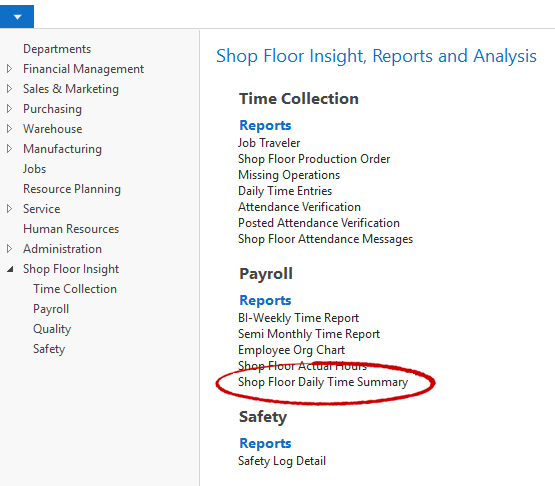
Shop Floor Insight includes an Excel friendly daily/weekly time summary report to help payroll administrators using employee groups. This report complements the existing Bi-Weekly and Semi-Monthly reports. The new report can be found by searching for “Daily Time Summary”, and is also in the Shop Floor Insights’ “Reports” category under the “Payroll” section.
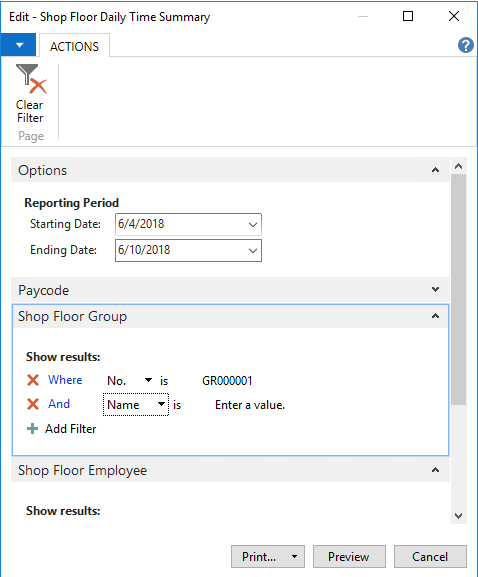
Simply enter the reporting period, choose the group, and select your paycodes.
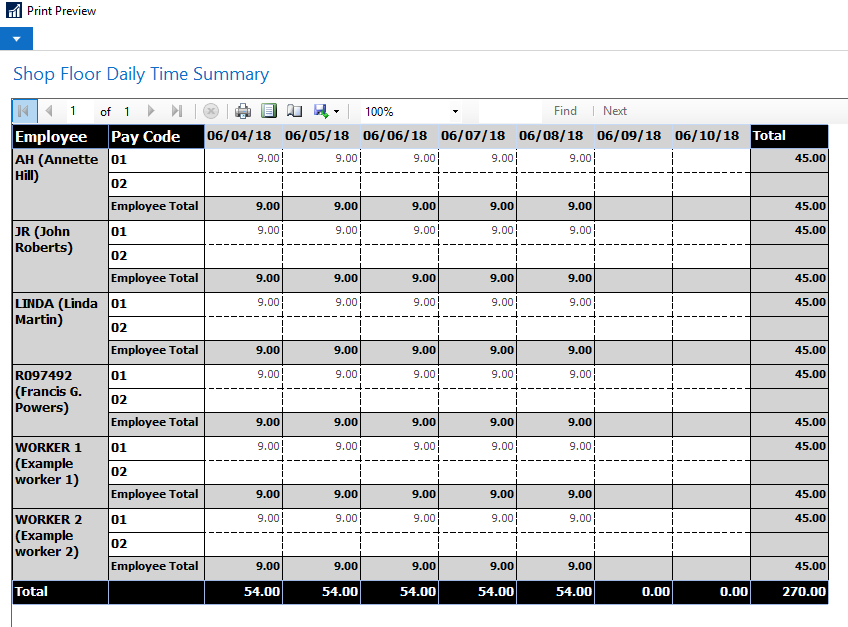
A simple grid report is available.
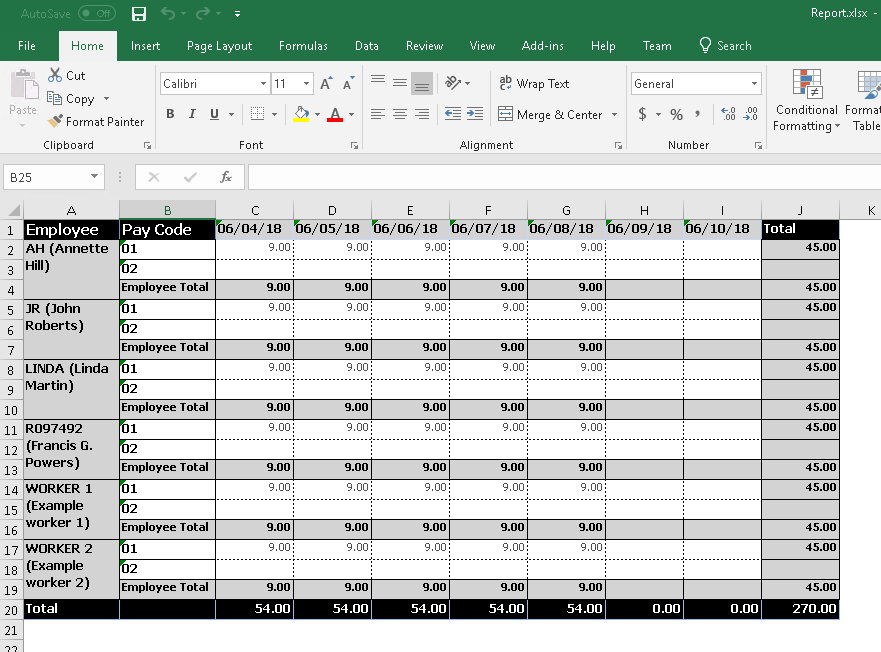
Using NAV’s built-in functionality to export to Excel, this report was made with Excel in mind knowing that Payroll administrators tend to use Excel for additional verification and reporting.
Still need help?
Ask other Business Central users in the Insight Works community, or send the details to the support team. Include the steps you took and any error message you saw.