
Barcode entries are a fast and effective way of embedding multiple pieces of information into a single, small, barcode. Barcode entries are used to hold mapping for people, production orders, jobs, and more.
Over time these entries can grow in volume, especially on installs that have a very high throughput of barcodes, and generally need cleanup to keep scanning speed fast.
Recent versions of Shop Floor Insight make this task easy with the “Clean Barcodes” action.
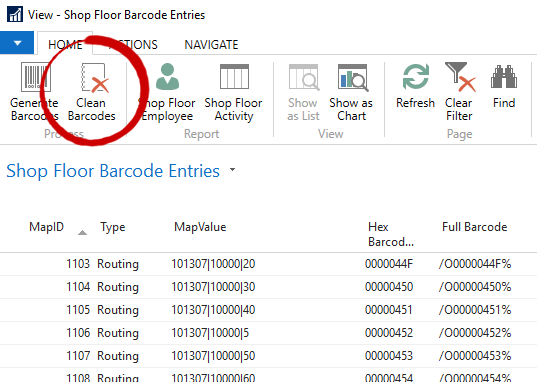
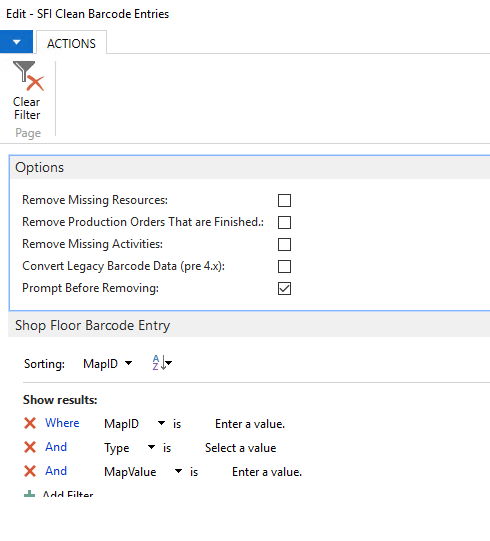
When cleaning barcodes you’ll have the option within the report to decide how to clean, whether you’d like to just remove finished production orders, or people that have been removed from the system.
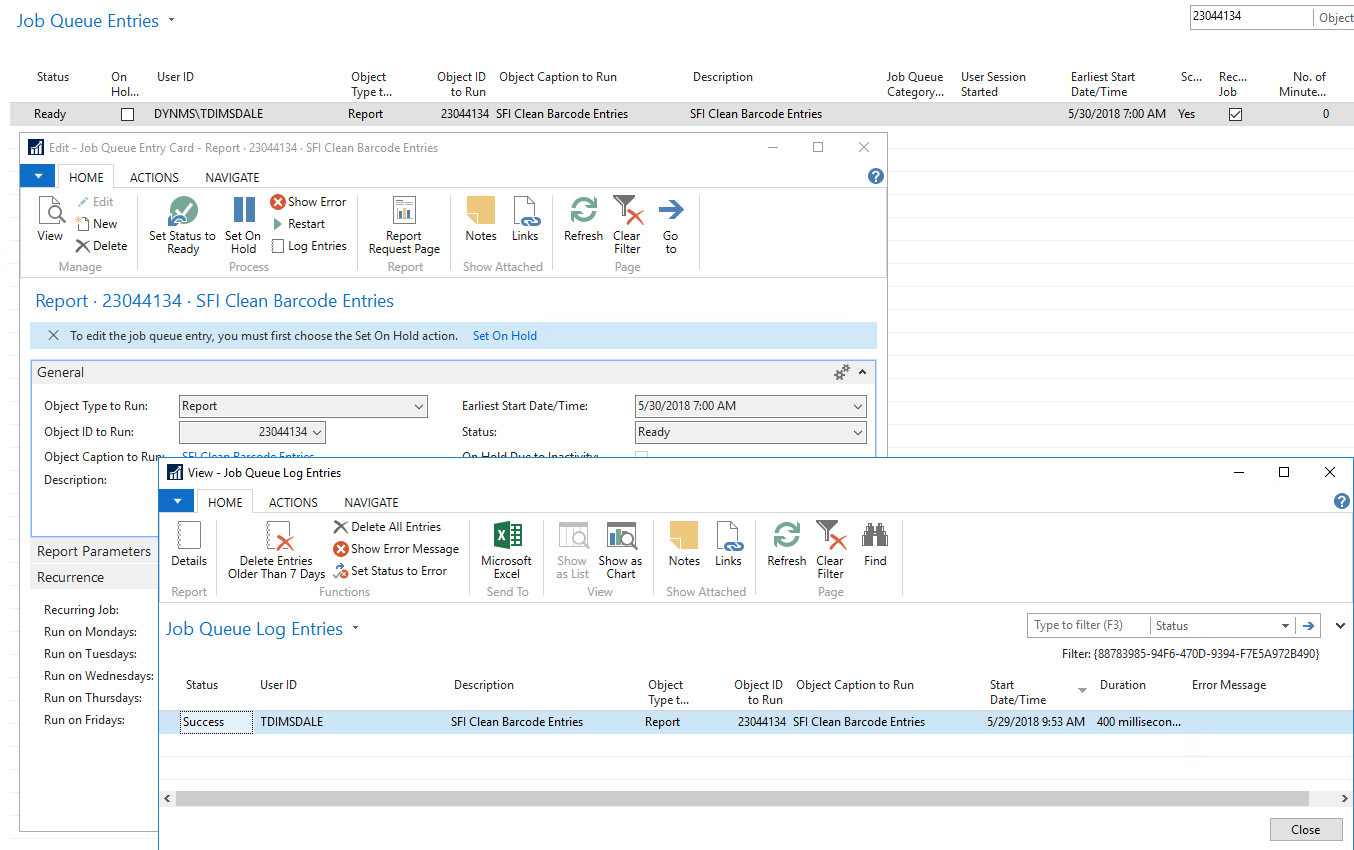
The report (23044134) is also job queue friendly, further simplifying periodic maintenance.
Still need help?
Ask other Business Central users in the Insight Works community, or send the details to the support team. Include the steps you took and any error message you saw.