
In the Configurator Options page, set the Line Type to Begin-Group or End-Group to specify markers for the beginning and end of a group of options. The following screenshot contains an example of how the configuration can be done for a group and a group nested inside another group:
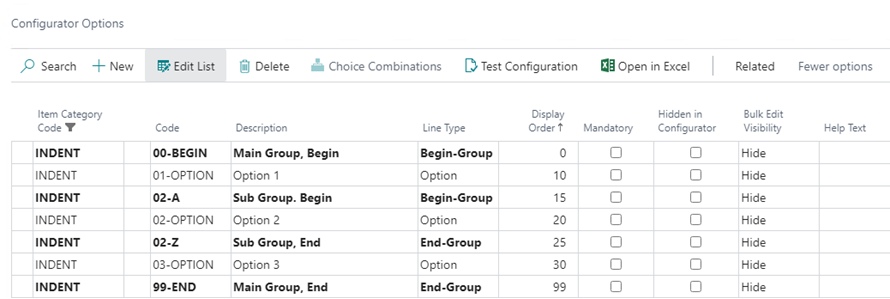
Choose Indent Options from the Related menu to indent options between a Begin-Group and the matching End-Group one level:

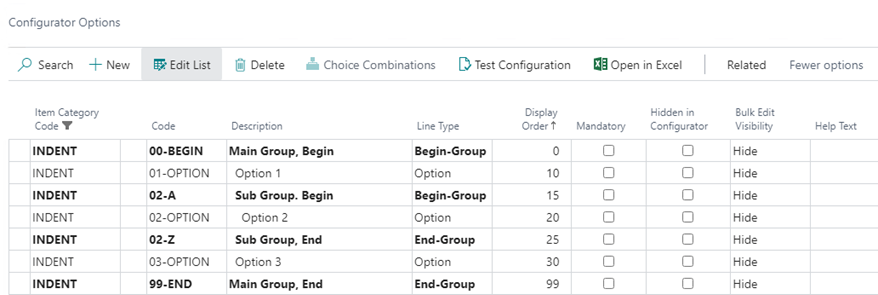
When prompted, select Yes to perform the indentation. The follow screenshot shows the above example after the Indent Options has been performed:
Still need help?
Ask other Business Central users in the Insight Works community, or send the details to the support team. Include the steps you took and any error message you saw.