
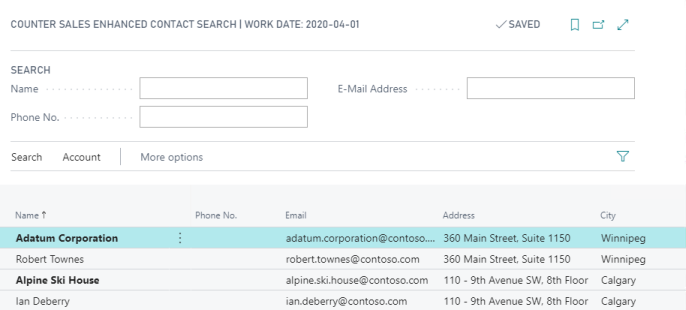
The Enhanced Contact Search in Insight Works Counter Sales provides the user a tailored page to quickly search existing contacts.
The Enhanced Contact Search can be accessed from the role center page for either the Counter Sales Order Processor and Counter Sales Manager roles under the Tasks actions or by using the Tell me what you want to do icon to search for it.
To use the Enhanced Contact Search simply enter the search criteria in the Name, Phone No., or E-Mail Address boxes and the contact list will update with results matching the criteria.
Still need help?
Ask other Business Central users in the Insight Works community, or send the details to the support team. Include the steps you took and any error message you saw.